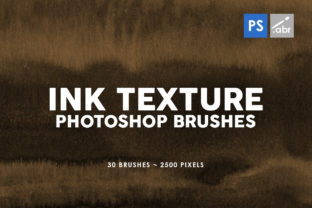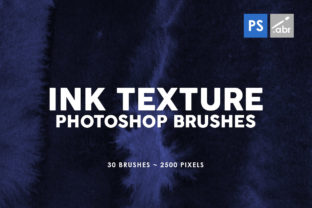
Adding Grit and Character with 30 Ink Texture Photoshop Stamp Brushes 2
We have all been there. You spend hours perfecting a layout, choosing the right fonts, and aligning every element until it looks pristine. Then you step back, and it feels… sterile. It looks too digital, too smooth, and lacks the human touch that makes a design memorable. This is where 30 Ink Texture Photoshop Stamp Brushes 2 comes into play. It isn't just another pack of digital tools; it is a shortcut to adding organic imperfection to your work without needing a physical studio or messy supplies.
This specific collection offers 30 high-resolution stamp brushes, each clocking in at 2500 pixels. That size matters more than you might think. When you are working on a large print poster or a high-DPI mockup, small brushes pixelate and look amateurish. These retain their crisp, gritty edges even when scaled up. Because they function as stamps rather than flow-based brushes, you get consistent, repeatable textures with a single click, making them incredibly efficient for both quick social media posts and complex commercial projects. Plus, they work seamlessly across any version of Photoshop, so you don't need the latest subscription update to start creating.
Breaking the Digital Perfection Trap
The primary reason creators reach for ink textures is to break the "perfect" look of vector graphics and standard photos. In the real world, nothing is perfectly flat. Paper has grain, ink bleeds slightly, and surfaces wear down over time. When you apply these brushes, you are simulating that physical reality.
Imagine you are a small business owner designing a flyer for a local coffee shop roast. A clean, white background with sans-serif text looks fine, but it doesn't convey the aroma or the rustic vibe of the brand. By dropping in a few of these ink splatters behind the text or using them as a border element, you instantly ground the design. It feels tactile. Customers scrolling through Instagram or walking past a bulletin board are more likely to stop because the image feels like something they could touch.
For bloggers and content creators, this texture adds a layer of authenticity. In an era where audiences are skeptical of overly polished ads, a bit of visual noise signals honesty. Using these stamps as overlays on product photography can make a digital rendering feel like a printed magazine spread. It bridges the gap between the screen and the physical world.
Practical Applications Across Different Fields
The versatility of 30 Ink Texture Photoshop Stamp Brushes 2 lies in its simplicity. You aren't limited to one style. Here is how different professionals might integrate them into their daily workflows:
- Social Media Managers: Use the brushes to create eye-catching story backgrounds. Instead of a solid color block, stamp a subtle ink wash behind your text to increase readability while adding style. It helps your posts stand out in a crowded feed without distracting from the message.
- Print Designers: When creating business cards or event invitations, these 2500-pixel assets ensure that the texture prints sharply. You can use them to create custom letterhead effects or to age a vintage-style poster intentionally.
- Educators and Presenters: Teachers creating digital handouts or slide decks can use these textures to highlight key points. A rough ink circle around a important date or concept draws the eye much better than a perfect geometric shape.
- Photographers: Retouchers often use these to blend composite images. If you are placing a subject into a new background, adding a matching grain or ink spatter over the entire composition helps unify the lighting and texture, making the edit believable.
- Web Designers: While web graphics need to be optimized, starting with a high-res stamp allows you to scale down without losing detail. Use them for hero section accents or to texture buttons for a more organic call-to-action.
Why Resolution and Compatibility Matter
You might wonder why the 2500-pixel specification is highlighted so often. In the design world, resolution is currency. Many free brush packs online are low resolution, meant only for web thumbnails. If you try to use those on a project that ends up going to print, you will see jagged edges and blurry spots. With 30 Ink Texture Photoshop Stamp Brushes 2, the high resolution gives you the flexibility to experiment. You can shrink them for subtle noise or enlarge them for bold, abstract statements without worrying about quality loss.
Furthermore, compatibility is a huge practical benefit. Freelancers often work with clients who have older software versions, or you might be using a legacy version of Photoshop yourself due to budget constraints. Knowing that these brushes work with any Photoshop version removes a significant barrier to entry. You don't need to troubleshoot installation errors or worry about feature incompatibility. You install them, select the tool, and start stamping.
Strategic Considerations Before You Start
While these brushes are powerful, effective design is about restraint. Just because you have 30 unique textures doesn't mean you need to use all of them in one project. Over-texturing can make a design look cluttered and unreadable. Before you begin applying layers of ink, consider the purpose of your project.
If you are designing a corporate annual report, subtlety is key. You might choose a faint, dry-ink stamp to add a slight paper-like feel to the background, keeping the foreground data clean and legible. However, if you are designing a gig poster for a rock band, you can be aggressive. Layer multiple stamps, change their blending modes to "Multiply" or "Overlay," and let the ink bleed into the typography.
Another consideration is color. Ink textures are typically black by default, but their magic happens when you change the color. Don't limit yourself to black. Sample colors from your existing palette. A deep navy ink stamp can add sophistication, while a bright neon splatter can inject energy. Because these are smart, high-quality masks, they take color changes beautifully without losing their internal detail.
Enhancing Your Creative Workflow
Ultimately, tools like 30 Ink Texture Photoshop Stamp Brushes 2 are about speed and consistency. Creating realistic ink effects manually using filters and noise generators can take twenty minutes per image. With these stamps, it takes twenty seconds. This efficiency allows you to iterate faster. You can try five different variations of a layout in the time it used to take to perfect one.
For entrepreneurs managing their own branding, this is a game-changer. You can maintain a cohesive "grunge" or "artisanal" aesthetic across your website, packaging, and social media without hiring a dedicated designer for every asset. The 30 distinct variations in the pack ensure that your repeated elements don't look repetitive. Each stamp has a unique edge and density, providing enough variety to keep your visual identity fresh.
Whether you are looking to salvage a boring photo, add depth to a flat illustration, or simply give your digital files a more human soul, these brushes offer a reliable solution. They remind us that in a world of 4K screens and retina displays, there is still a profound appreciation for the imperfect, the textured, and the real. By integrating these high-resolution stamps into your toolkit, you equip yourself to create work that doesn't just look good, but feels right.