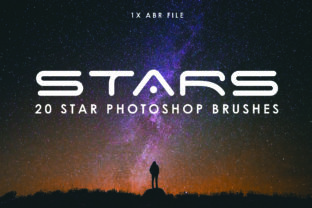
20 Star Photoshop Brushes for Realistic Skies
Creating a convincing night sky in digital art is often more challenging than it appears. Many beginners and even experienced designers struggle with the tedious task of painting individual points of light, only to end up with a result that looks flat or artificial. This is where the 20 Star Photoshop Brushes collection becomes an invaluable asset. Designed specifically to help bring your night sky to life, this toolset eliminates the guesswork involved in celestial rendering. Instead of spending hours manually placing dots, you can instantly populate your canvas with twinkling lights that possess depth, variation, and realism.
The core appeal of this collection lies in its versatility and ease of use. Whether you are a freelance graphic designer working on a movie poster, a blogger creating custom headers, or a hobbyist editing family photos taken during a camping trip, these brushes streamline your workflow. The package includes a single .ABR file, which means installation is straightforward. Once loaded into Photoshop, you gain immediate access to twenty distinct brush tips tailored for different atmospheric effects. This efficiency allows creators to focus less on the mechanics of painting stars and more on the overall composition and mood of their artwork.
Breaking Down the Brush Collection
Understanding exactly what is inside the pack helps you utilize it to its full potential. The collection is thoughtfully divided to cover various needs within a single project. It comes with 15 single star brushes and 5 scattered brushes, plus three bonus options for extra flair. The single star brushes are perfect for when you need precision. Perhaps you are illustrating a specific constellation, adding a bright guiding star to a landscape, or highlighting a particular area of interest in a composite image. These brushes allow you to place individual stars with control over their size and brightness, ensuring they look like distinct celestial bodies rather than random noise.
On the other hand, the 5 scattered brushes are designed for efficiency and natural distribution. In reality, stars are rarely evenly spaced; they cluster in galaxies and spread out across the void. Trying to mimic this randomness by hand often results in patterns that look too uniform or grid-like. The scattered brushes automate this process by dispersing multiple star shapes in a single stroke. This creates an instant background of deep space that feels organic. By combining the scattered brushes for the bulk of the sky and the single brushes for foreground highlights, you achieve a professional layering effect that adds significant depth to your images.
Ideal Use Cases for Creators and Businesses
The applications for these tools extend far beyond simple photo editing. For marketers and small business owners, visual content is king. A social media post featuring a product against a generic black background might get lost in the feed, but that same product set against a rich, starry cosmos can evoke feelings of wonder and premium quality. Imagine a jewelry brand showcasing a diamond necklace; using these brushes to add a subtle sparkle and a starry backdrop can reinforce the theme of brilliance and luxury without requiring a costly photoshoot.
Educators and presenters also find great value in this collection. When creating slides for astronomy lessons, history presentations about navigation, or even inspirational quotes, a high-quality night sky sets the perfect tone. Instead of relying on low-resolution stock photos that may not fit the color scheme of a presentation, users can generate custom backgrounds that match their brand colors or slide themes perfectly. Similarly, book cover designers frequently require fantasy or sci-fi elements. These brushes provide the foundational texture needed for genres involving space travel, magic, or mysterious night settings, allowing authors and self-publishers to create eye-catching covers on a budget.
Achieving Realism in Digital Art
The primary goal of the 20 Star Photoshop Brushes is to solve the problem of artificial-looking skies. A common mistake in digital painting is making every star the same size and opacity. In the real world, atmospheric perspective and distance mean that some stars appear bright and sharp, while others are faint and slightly blurred. This collection addresses that by offering variety within the brush tips themselves. Some strokes produce crisp, hard-edged points, while others yield softer, glowing orbs.
To get the best results, it is helpful to vary the opacity and flow settings in your brush panel. Start by using a scattered brush on a new layer with low opacity to build up a base layer of distant stars. Then, switch to a single star brush on a separate layer to paint in the brighter, closer stars. This technique of layering mimics how our eyes perceive depth in the night sky. Additionally, because the brushes come in a standard format, they work seamlessly with blending modes like "Screen" or "Linear Dodge," which can make the stars glow naturally against darker backgrounds without washing out the underlying image.
Important Considerations Before You Start
While these tools are powerful, there are a few practical things to keep in mind to ensure they integrate well into your projects. First, consider the resolution of your canvas. If you are working on a very large print project, such as a billboard or a large-format poster, you may need to adjust the brush settings to ensure the stars remain crisp and do not appear pixelated. Photoshop allows you to scale brush tips dynamically, so take a moment to test the size relative to your document dimensions before committing to a full design.
Secondly, think about color theory. Although we often think of stars as white, they actually emit light in various hues ranging from blue to orange depending on their temperature. Don't be afraid to sample colors from your existing artwork and apply them to the brush strokes. Tinting your stars slightly can help them blend more cohesively with the rest of the scene, whether it is a cool moonlit landscape or a warm sunset transitioning into night. Finally, remember that less is often more. While it is tempting to fill every inch of the sky with the scattered brushes, leaving some negative space can create a more dramatic and focused composition.
Ultimately, incorporating the 20 Star Photoshop Brushes into your toolkit is about enhancing your creative freedom. It removes the technical barrier of painting complex textures, allowing you to execute your vision faster and with greater confidence. Whether you are refining a portfolio piece, designing a marketing campaign, or simply exploring digital art for fun, this collection provides the necessary elements to transform a dark void into a living, breathing universe. With the included bonus brushes adding even more variety, you have everything needed to craft stunning nocturnal scenes that captivate your audience.