Mastering Winter Atmospheres: A Guide to Using Realistic Photoshop Snow Brushes
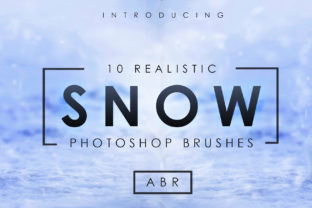
Creating a convincing winter scene in digital art is often more challenging than it appears at first glance. Many designers and photographers struggle to replicate the delicate, chaotic beauty of falling snow using standard tools. While manual painting can yield results, it is time-consuming and often lacks the organic randomness required for realism. This is where specialized assets become indispensable. A set of 10 realistic snow brushes serves as a powerful addition to any creative professional's design arsenal, bridging the gap between amateur edits and professional-grade composites.
In this guide, we will explore the significance of these digital tools, how they transform workflow efficiency, and the practical steps to integrate them into your projects. Whether you are a beginner looking to enhance holiday cards or an experienced retoucher working on high-end advertising, understanding the mechanics of snow simulation in Adobe Photoshop is a valuable skill.
The Challenge of Digital Snow Simulation
Snow is deceptively complex. It is not merely white dots scattered across a screen; it is a dynamic element influenced by wind, depth of field, lighting, and gravity. When artists attempt to paint snow manually using a standard round brush, the result often looks repetitive and artificial. The human eye is incredibly adept at spotting patterns, and uniform spacing or identical particle sizes immediately break the illusion of reality.
Furthermore, snow exists in layers. There is the heavy, wet snow that clings to surfaces, the fine powder drifting in the distance, and the sharp, crystalline flakes in the foreground. Replicating these varying textures requires a nuanced approach. This is precisely why a curated collection of realistic Photoshop snow brushes is so vital. These brushes are pre-engineered with specific dynamics—such as scatter, size jitter, and opacity flow—that mimic the natural behavior of snowfall without requiring hours of manual adjustment.
Why Quality Assets Matter in Modern Design
In the fast-paced world of digital design, efficiency is paramount. Clients often demand quick turnarounds without compromising on quality. Relying on generic filters or stock overlays can sometimes result in a "cookie-cutter" look that fails to blend seamlessly with the underlying image. Custom brushes offer a middle ground: they provide the speed of an overlay with the control of hand-painting.
Having a dedicated set of 10 realistic snow brushes allows creators to:
- Control Density: Adjust the intensity of the snowfall instantly.
- Vary Particle Size: Create depth by using larger brushes for foreground elements and smaller ones for background atmosphere.
- Match Lighting Conditions: Paint snow that reacts logically to the light sources in the scene.
- Save Time: Reduce editing time from hours to minutes.
Exploring the Versatility of the Brush Set
A comprehensive pack typically includes a variety of brush tips designed for different scenarios. For instance, some brushes in a 10-brush set might be optimized for creating a blizzard effect, characterized by dense, horizontal streaks suggesting strong winds. Others might be designed for a gentle, vertical drift, perfect for romantic or serene winter landscapes.
Consider a photographer who has taken a beautiful portrait in autumn but needs to convert it for a winter marketing campaign. By using these brushes, they can add falling snow that interacts with the subject's hair and clothing, rather than just pasting a flat image over the top. This level of integration is what separates good design from great design. The brushes allow for non-destructive editing, meaning artists can paint on separate layers, adjust opacity, and use layer masks to ensure the snow feels like part of the original environment.
Common Misunderstandings About Snow Effects
One common assumption among beginners is that adding snow is simply a matter of increasing brightness or adding white noise. However, real snow has volume and translucency. It catches light differently depending on its angle. Another misconception is that more snow is always better. In reality, subtlety often yields the most realistic results. A few well-placed flakes in the foreground can create a stronger sense of depth than a screen filled with white pixels.
Additionally, many users forget about motion blur. Snowflakes fall at different speeds. Those closer to the camera often appear slightly blurred due to motion, while distant snow remains sharper. High-quality brush sets often account for these physical properties within their settings, helping users avoid these common pitfalls automatically.
Installation and Setup: Getting Started
Integrating these tools into your workflow is a straightforward process, ensuring that even those new to Photoshop can get started immediately. The asset usually comes included as 1x ABR file containing all 10x Snow Brushes. The `.abr` extension stands for Adobe Brush, a universal format compatible with most versions of Photoshop.
To help you get up and running quickly, here are the standard Installation Instructions:
- Download the Asset: Locate the downloaded ZIP file containing your brush set and extract the contents to a known folder on your computer.
- Open Photoshop: Launch Adobe Photoshop on your desktop.
- Access the Brush Tool: Select the Brush Tool from the toolbar (or press B on your keyboard).
- Load the Brushes:
- Click on the brush preset picker in the top options bar.
- Click the gear icon or the menu hamburger in the corner of the panel.
- Select "Import Brushes..." from the dropdown list.
- Navigate and Install: Browse to the location where you saved the 1x ABR file, select it, and click "Load."
- Verify Installation: Scroll to the bottom of your brush list. You should now see your new set of 10 realistic snow brushes ready for use.
Once installed, these brushes behave like any native tool. You can adjust their size using the bracket keys ([ and ]) and modify their flow and opacity to suit the specific mood of your artwork.
Practical Applications Across Industries
The utility of realistic snow brushes extends far beyond hobbyist photo manipulation. In the advertising industry, brands frequently need to seasonalize their imagery for winter campaigns without the budget for a reshoot. Digital artists use these brushes to transform summer product shots into cozy winter scenes, enhancing the emotional appeal of the advertisement.
In concept art and game design, environment artists rely on such assets to quickly prototype weather conditions. Being able to toggle between different types of snowfall helps in establishing the tone of a level or scene during the early stages of development. Similarly, in education and e-learning, instructional designers might use these effects to create engaging visual materials for stories or historical reenactments set in winter climates.
Even in social media content creation, where attention spans are short, high-quality visuals are crucial. Influencers and content creators use these brushes to elevate their posts, making them stand out in a crowded feed during the holiday season.
Maximizing Realism: Tips for Best Results
To truly master the use of this great asset, consider the lighting in your base image. Snow reflects light; therefore, if your scene has a warm sunset, the snow should have orange or pink highlights. If it is a cold, overcast day, the snow should be blue-tinted. You can achieve this by creating a new layer, clipping it to your snow layer, and painting with a soft color brush set to "Color" or "Overlay" blend mode.
Depth of field is another critical factor. Use a larger brush size with lower opacity for snowflakes that are meant to be very close to the "camera lens," and use smaller, sharper brushes for snow in the distance. This technique mimics the way a physical camera lens focuses, adding a three-dimensional quality to a two-dimensional image.
Conclusion
The ability to convincingly render weather effects is a hallmark of skilled digital artistry. A set of 10 realistic snow brushes provides the necessary foundation to achieve this with ease and precision. By understanding the physics of snow and leveraging the right tools, designers can create immersive winter atmospheres that resonate with viewers.
Whether you are enhancing a family photo, designing a holiday banner, or concepting a frozen landscape, these brushes offer the flexibility and realism needed to bring your vision to life. With simple installation via a single ABR file and intuitive controls, they represent an essential investment for anyone serious about expanding their creative capabilities in the digital realm. Embrace the power of these tools, and let your designs capture the true magic of winter.