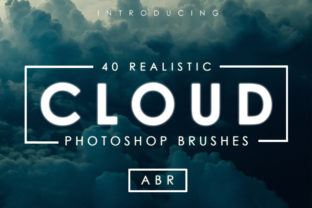
Enhancing Digital Artwork with 40 Cloud Brushes for Photoshop
In the realm of digital composition, atmosphere often dictates the emotional resonance of an image. Whether you are a graphic designer crafting a surreal advertisement, a concept artist building a fantasy landscape, or a photographer retouching a sky to salvage a dull shot, the quality of your cloud elements can make or break the final piece. This is where the 40 Cloud Brushes for Photoshop set becomes an essential asset in your creative workflow. Unlike generic shapes that often look flat and repetitive, this collection offers a robust solution for integrating realistic atmospheric elements into your projects efficiently.
This specific set comprises 40 distinct brushes, carefully divided into two functional categories: 20 single cloud brushes and 20 scattered cloud brushes. The foundation of their utility lies in their source material; these tools are derived from real photographs of clouds. This photo-based origin ensures a level of texture, lighting, and density that is difficult to replicate manually with standard round or soft brushes. By incorporating these assets, creators can bypass the time-consuming process of painting clouds from scratch or searching for stock photos that may not match the perspective or lighting of their canvas.
Strategic Integration into Creative Workflows
Understanding where these brushes fit into a broader project lifecycle is key to maximizing their value. They are not merely a decorative add-on but a functional tool that can be deployed at various stages of production. For professionals managing tight deadlines, such as marketing agencies producing social media visuals or freelancers delivering book covers, speed without sacrificing quality is paramount.
Pre-production and Planning: During the conceptual phase, artists often use mood boards to establish tone. The scattered cloud brushes allow for rapid iteration. You can quickly sketch out different sky conditions—stormy, serene, or dramatic—to see how they affect the composition's balance before committing to detailed rendering. This accelerates the decision-making process regarding color palettes and lighting direction.
Execution and Composition: In the active creation phase, the distinction between the single and scattered brushes becomes vital. The 20 single cloud brushes are ideal for placing specific, high-detail cumulus formations that serve as focal points. Because they are based on real photos, they carry natural shadows and highlights that interact convincingly with other light sources in your scene. Conversely, the 20 scattered cloud brushes excel at filling negative space and creating depth. They are perfect for generating distant horizons or wispy cirrus layers that would otherwise require hours of manual stippling.
Post-Production and Refinement: Even after the main artwork is complete, these brushes serve a critical role in harmonization. A common challenge in compositing is making disparate elements feel like they exist in the same environment. By lightly overlaying scattered clouds across foreground and background elements, you can create a unifying atmospheric haze that ties the image together. This technique is frequently used by photographers to blend a replaced sky with the original landscape seamlessly.
Leveraging Pressure Sensitivity and Customization
The true power of the 40 Cloud Brushes for Photoshop emerges when used with a graphics tablet. The scattered clouds in this set are pressure-sensitive, a feature that transforms them from static stamps into dynamic painting tools. When you press harder with your stylus, the brush deposits more opacity and density; lighter touches create ethereal, translucent wisps. This variability mimics the organic nature of real clouds, which rarely have uniform edges or consistent density throughout.
To achieve unlimited combinations, users must actively engage with Photoshop's brush settings. While the default presets are high-quality, the workflow encourages adjustment. Modifying the size allows you to shift from massive storm fronts to tiny, distant puffs. Tweaking the opacity flow helps in building up layers gradually, preventing the "cut-and-paste" look that plagues amateur composites. Professionals often duplicate the base brush and save variations with different minimum diameter settings to switch rapidly between fine details and broad strokes without interrupting their creative flow.
Technical Installation and Compatibility
Integrating new assets into your software should be frictionless. This set includes a single .ABR file containing all 40 brushes, ensuring easy organization within your library. There are two primary methods to install these brushes, depending on your preferred workflow style:
- Drag-and-Drop Method: For immediate access, simply locate the downloaded .ABR file on your computer and drag it directly into the open Photoshop window. The software will automatically load the brushes into your current preset list.
- Preset Manager Method: For a more organized approach, navigate to Edit > Presets > Preset Manager within Photoshop. Select "Brushes" from the drop-down menu, click the "Load" button, and browse to your .ABR file. This method is preferable for users who manage multiple brush libraries and wish to keep their toolset modular.
Once installed, the brushes appear in your Brush Tool panel, ready for immediate deployment. It is advisable to group them into a dedicated folder within the panel for quick retrieval during complex sessions. This small organizational step prevents clutter and ensures that these specific tools remain accessible alongside your standard ink or texture brushes.
Quality Control and Realistic Outcomes
The claim of realism is backed by the photographic source of the textures. However, achieving a professional result requires more than just clicking the brush onto the canvas. Context is everything. When using these brushes, consider the light source of your existing artwork. If your scene is lit from the left, ensure the clouds you paint reflect that logic. You may need to use the Transform tool to flip or rotate specific single clouds to match the perspective.
Furthermore, color grading is essential. Raw cloud brushes often come in grayscale or neutral tones. To integrate them smoothly, use adjustment layers such as Color Balance or Curves clipped specifically to the cloud layer. This allows you to tint the clouds to match a sunset's orange glow or a storm's bruised purple hues without altering the underlying texture details. The high resolution of the source photos ensures that even when scaled up or heavily edited, the edges remain crisp and free of pixelation.
Long-Term Utility for Diverse Creators
The versatility of this brush set extends beyond traditional digital painting. Educators teaching visual arts can use these tools to demonstrate atmospheric perspective to students. Bloggers and content creators can enhance header images to increase click-through rates by adding visual interest to otherwise plain backgrounds. Small business owners designing their own promotional materials can elevate their brand aesthetics without hiring a specialized illustrator.
For productivity-minded users, the efficiency gain is measurable. What might take thirty minutes to paint manually can be achieved in seconds, allowing more time for refinement and client communication. The consistency provided by using a unified set of 40 brushes also helps in maintaining a cohesive style across a series of images, which is crucial for branding campaigns or sequential storytelling.
In conclusion, the 40 Cloud Brushes for Photoshop represent a practical investment in your digital toolkit. By combining photo-realistic textures with pressure-sensitive dynamics, they bridge the gap between speed and quality. Whether you are refining a photograph, illustrating a concept, or designing a marketing asset, these brushes provide the flexibility needed to execute your vision with precision. Proper installation, combined with thoughtful adjustments to size, opacity, and color, allows these tools to become a seamless extension of your creative intent, delivering professional results in any atmospheric condition you wish to create.