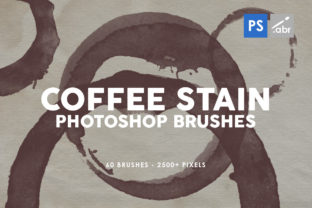
Elevate Designs with Coffee Stain Brushes
Imagine transforming a sterile, digital layout into a textured, tactile experience with a single click. In the world of modern graphic design, adding organic imperfections is often the key to creating work that feels human and authentic. This is where Coffee Stain Photoshop Brushes become an indispensable tool for creatives seeking to break away from the overly polished look of standard vector art. By introducing realistic grunge elements, designers can instantly inject personality and depth into their visual narratives.
The specific pack containing 60 high-quality brushes offers a robust solution for those who value efficiency without compromising on resolution. With each brush rendered at 2500 pixels and 300 DPI, these assets ensure crisp, professional results suitable for both screen and print media. The ease of use is paramount; loading a single .ABR file into Photoshop CS6 or newer versions allows immediate access to a vast library of textures. This streamlined design workflow means you can spend less time searching for assets and more time refining your creative vision.
Enhancing Brand Identity Through Texture
In branding and logo design, differentiation is everything. A brand identity that relies solely on flat colors and clean lines can sometimes feel distant or generic. Integrating coffee stain effects can evoke feelings of warmth, nostalgia, or artisanal quality, which is particularly effective for cafes, bakeries, bookstores, and lifestyle brands. These textures help establish a unique visual hierarchy, guiding the viewer's eye through the composition while adding a layer of storytelling that pure typography cannot achieve alone.
When applied to packaging design, these brushes can simulate the look of hand-stamped labels or aged paper, suggesting a product that is crafted with care. This approach resonates deeply with consumers who value authenticity. Furthermore, in editorial design and magazine layouts, coffee stains can serve as subtle background elements or bold decorative accents that frame text and imagery, creating a cohesive and engaging reading experience.
Practical Applications Across Media
The versatility of high-resolution texture brushes extends far beyond static print materials. In the realm of digital marketing and social media graphics, standing out in a crowded feed requires visuals that stop the scroll. A well-placed coffee ring effect on a promotional flyer or an Instagram story can add a touch of realism that makes the content feel less like an advertisement and more like a genuine moment.
Consider the following applications where these creative assets shine:
- Advertising Campaigns: Create gritty, urban aesthetics for posters and billboards that demand attention.
- Web and UI Design: Use subtle textures to break up white space and add depth to landing pages without affecting load times significantly.
- Presentation Decks: Elevate corporate or creative pitches with slide backgrounds that convey sophistication and creativity.
- Merchandise: Design unique t-shirts, tote bags, and mugs that feature organic, hand-crafted looks.
- Digital Products: Enhance eBooks and downloadable guides with textured chapter dividers and headers.
Best Practices for Using Textural Elements
While the allure of adding grunge effects is strong, maintaining a professional presentation requires restraint and strategic thinking. The goal is to enhance the message, not obscure it. When incorporating coffee stains into your visual design, always consider readability. Ensure that text placed over textured backgrounds has sufficient contrast, or use the stains as peripheral decorative elements rather than central focal points if they interfere with legibility.
Consistency is also crucial. If you are building a comprehensive brand system, define how and where these textures appear. Overusing them can make a design look messy or dated. Instead, select specific brushes from the 60 available options that align with your color palette and overall modern aesthetics. Experiment with blending modes in Photoshop, such as "Multiply" or "Overlay," to integrate the stains naturally into the underlying layers, ensuring they look like part of the paper or surface rather than floating on top.
Ultimately, the power of tools like Coffee Stain Photoshop Brushes lies in their ability to bridge the gap between digital precision and analog charm. They offer designers a quick and effective way to add emotional resonance to their work. Whether you are crafting a logo, designing a website, or laying out a brochure, the right texture can transform a good design into a memorable one. By thoughtfully selecting and applying these high-quality assets, you ensure that your final output not only looks stunning but also communicates your intended message with clarity and impact.