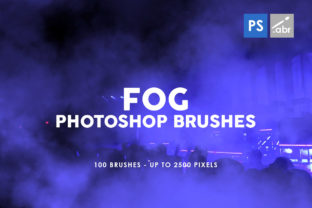
Master Atmospheric Effects with 100 Fog Photoshop Stamp Brushes
There is a distinct difference between an image that looks flat and one that breathes. That depth often comes from atmosphere—the subtle haze of a morning commute, the eerie mist rolling off a swamp, or the industrial smog of a cyberpunk cityscape. For digital artists, photographers, and designers, creating these effects from scratch using standard gradient tools can be time-consuming and often yields artificial results. This is where a dedicated collection like the 100 Fog Photoshop Stamp Brushes becomes an indispensable asset in your creative toolkit.
This comprehensive pack offers more than just a few generic cloud shapes. Inside, you will find 100 unique brushes, each meticulously crafted to provide high-resolution textures up to 2500 pixels in size. Whether you are running the latest version of Adobe Photoshop or sticking with a legacy version like CS6, these tools integrate seamlessly into your workflow. The versatility of these brushes allows them to function not just as painting tools, but as powerful overlays for photo manipulation, visual effects for game assets, and decorative elements for complex digital artwork.
Why High-Resolution Texture Matters
In the world of digital composition, resolution is king. Many free brush sets available online suffer from low DPI or small pixel dimensions, which become immediately apparent when you try to scale them up for a high-definition project. Pixelation kills immersion. The 100 Fog Photoshop Stamp Brushes solve this problem by offering textures that reach up to 2500 pixels. This ensures that even when you are working on large-format prints, billboard advertisements, or 4K concept art, the fog retains its soft, organic edge without breaking down into jagged blocks.
The "stamp" nature of these brushes is particularly useful for speed. Unlike standard flow brushes that require you to paint stroke by stroke to build up density, stamp brushes allow you to place a fully formed texture with a single click. You can then rotate, scale, and warp these stamps to fit the perspective of your scene. This approach drastically reduces the time spent on rendering atmospheric conditions, allowing you to focus on composition and lighting.
Key Characteristics of the Collection
What sets this specific bundle apart is the variety within the 100 brushes included. Fog is not a monolith; it behaves differently depending on the environment. A dense forest fog clings to the ground and weaves through tree trunks, while high-altitude stratus clouds form a uniform blanket. This set captures that diversity:
- Varied Density: Some stamps provide thick, opaque walls of mist suitable for obscuring backgrounds, while others offer wispy, translucent tendrils perfect for subtle foreground depth.
- Organic Edges: The textures avoid hard, computer-generated lines, mimicking the chaotic diffusion of real water vapor and particulate matter in the air.
- Compatibility: Designed to work with any Photoshop version, ensuring that freelancers and agencies with mixed software environments can collaborate without file errors.
- Layer Flexibility: Because these are high-res textures, they respond beautifully to blending modes like Screen, Overlay, and Soft Light, giving you total control over how the fog interacts with the light sources in your image.
Practical Applications Across Industries
The utility of the 100 Fog Photoshop Stamp Brushes extends far beyond simple landscape photography edits. Professionals across various sectors can leverage these tools to enhance communication, branding, and user experience.
Photography and Photo Manipulation
For photographers, weather is often uncontrollable. You might have captured the perfect portrait or architectural shot, but the sky was too clear or the lighting too harsh. Using these fog overlays, you can introduce moodiness to a sterile corporate headshot or soften the background of a wedding photo to draw attention to the subjects. In surreal photo manipulation, these brushes are essential for blending disparate elements together. When compositing a subject into a new background, adding a layer of matching fog at the feet or around the edges helps sell the illusion that the subject actually belongs in that environment.
Game Design and Concept Art
Environment artists and concept designers rely heavily on atmosphere to tell a story before a single line of dialogue is spoken. A horror game level needs suffocating, low-hanging mist to induce anxiety, while a fantasy RPG might require magical, glowing vapors. These 100 brushes serve as excellent starting points for matte paintings or texture baking. By stamping these high-res fogs onto your canvas, you can quickly block out the atmospheric volume of a scene, establishing depth cues that guide the player's eye.
Marketing and Social Media Content
In the crowded landscape of digital marketing, visuals must stop the scroll. Marketers and content creators can use these effects to create dramatic product reveals. Imagine a tech gadget emerging from a sleek, cool mist, or a perfume bottle surrounded by an ethereal haze. These visual cues suggest luxury, mystery, or innovation. Furthermore, for bloggers and publishers creating featured images for articles about climate change, history, or fiction, these brushes provide the necessary gravitas to make the content feel professional and polished.
Maximizing Efficiency and Workflow
Time is the most valuable resource for any creative professional. Implementing the 100 Fog Photoshop Stamp Brushes into your routine can significantly boost productivity. Instead of spending twenty minutes masking and painting a gradient to simulate distance, you can achieve a similar or superior result in seconds. This efficiency allows for rapid iteration. If a client wants to see the scene with "heavier fog" or "fog only on the left," you can test those variations instantly without redoing the entire render.
Moreover, these brushes aid in non-destructive editing. By placing fog elements on separate layers, you maintain the flexibility to adjust opacity, color balance, or position at any stage of the project. This is crucial for collaborative environments where feedback loops often require quick adjustments to the visual tone of a piece.
Tips for Realistic Implementation
To get the most out of this collection, consider the physics of light and air. Fog is not just a texture you slap on top; it interacts with the scene. Here are a few recommendations for realistic application:
- Match the Light Source: Ensure your fog is brighter near light sources and darker in shadowed areas. Use layer masks to erase parts of the fog stamp that should be occluded by foreground objects.
- Color Grading: Rarely is fog pure white or gray. Use a Color Balance adjustment layer clipped to your fog layer to tint it blue for cold scenes, orange for sunsets, or green for toxic environments.
- Depth Layering: Don't rely on a single stamp. Build depth by using multiple layers of the 100 Fog Photoshop Stamp Brushes at different opacities and scales. Place denser fog in the background to push it away and lighter wisps in the foreground to pull the viewer in.
- Motion Blur: If your scene implies wind or movement, apply a slight directional motion blur to the fog stamps to match the dynamics of the rest of the image.
Ultimately, the goal of any visual effect is to support the narrative, not distract from it. When used subtly, these high-resolution fog textures can transform a good image into a great one, adding that elusive layer of professionalism that clients and audiences instinctively recognize. Whether you are a hobbyist looking to elevate your personal art or a business owner needing high-impact visuals for a campaign, this collection provides the reliability and quality needed to execute your vision effectively.