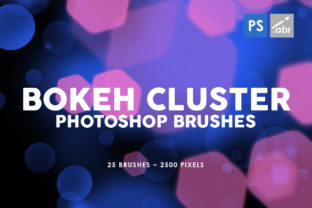
25 Bokeh Cluster Brushes: Add Magic to Your Designs
Imagine capturing that perfect moment where the background melts into a dreamy wash of light, isolating your subject in a pool of professional-grade focus. That is the power of bokeh, and now you can replicate it instantly without needing a specific lens or perfect lighting conditions. The 25 Bokeh Cluster Photoshop Stamp Brushes collection brings this cinematic quality directly into your digital workspace. These aren't just simple dots; they are carefully crafted clusters that mimic the organic way light behaves when it passes through an aperture. Each brush stroke deposits a group of soft, glowing orbs that vary in size and opacity, creating immediate depth and atmosphere.
What sets this pack apart is the resolution. At 2500 pixels, these textures are crisp enough for high-definition print work yet lightweight enough for fast web loading. Whether you are working on a vintage film poster or a sleek modern website header, the visual characteristics remain consistent. The style leans towards the ethereal and romantic, but with enough neutrality to fit into corporate branding or edgy music album art. They possess a "personality" of warmth and nostalgia, instantly signaling to the viewer that this image has been curated with care. It is the difference between a snapshot and a composed photograph.
Elevating Brand Identity and Visual Storytelling
In the world of marketing and branding, attention is the most valuable currency. When scrolling through social media feeds or browsing a crowded marketplace, consumers subconsciously filter out anything that looks flat or generic. Integrating these 25 Bokeh photoshop stamp brushes into your creative workflow can drastically alter how your audience perceives your brand identity. Light plays a psychological role; it suggests clarity, hope, and premium quality. By overlaying these light clusters onto product photography or lifestyle imagery, you elevate the perceived value of the item being sold.
Consider the application in packaging design. A coffee brand wanting to evoke the warmth of a morning brew can use these brushes to add a sun-drenched glow to their bag design. Similarly, a luxury skincare line can utilize the soft focus effect to imply gentleness and purity. In editorial design, such as magazines or lookbooks, these elements serve as excellent transitional devices between articles or as background textures that prevent white space from feeling empty. They guide the eye without demanding too much attention, supporting the hierarchy of the layout rather than competing with it.
For digital creators, the versatility is unmatched. You might be building a web design hero section that needs a subtle texture to break up a solid color block. Instead of searching for stock photos that might look overused, you can paint in your own unique lighting scenario. This level of customization ensures your brand identity remains distinct. Furthermore, in social media graphics, these overlays can turn a standard promotional post into something that feels more like an artistic statement, increasing engagement rates and shareability.
Practical Applications Across Creative Industries
The utility of this brush set extends far beyond simple photo enhancement. Game developers and concept artists will find immense value here for creating atmospheric environments. Need a magical forest scene? A few clicks with these cluster brushes can simulate fireflies or distant city lights in the background. For digital photo manipulation, they are indispensable for blending disparate elements together. When compositing a person into a new background, matching the lighting is often the hardest part. These brushes allow you to paint in foreground light leaks or background flares that tie the subject to the environment seamlessly.
Let's talk about specific scenarios where these tools shine:
- Wedding Photography: Enhance romantic portraits by adding soft, golden orbs that mimic candlelight or sunset reflections.
- Music Album Art: Create moody, abstract backgrounds that suggest rhythm and movement through varying opacities of light.
- YouTube Thumbnails: Draw attention to the subject by framing them with a vignette of bokeh, making the text pop against a busy background.
- Greeting Cards and Invitations: Add a festive touch to holiday designs or a delicate shimmer to wedding invites without needing complex vector work.
- Textured Overlays: Use them at low opacity to give digital illustrations a photographic, grounded feel.
Because these are stamp brushes, they work differently than standard flow brushes. You click, and a complete cluster appears. This makes them incredibly efficient for rapid prototyping. If you are a small business owner handling your own marketing, time is money. You don't need to spend hours masking layers or adjusting gradient maps. You select the brush, choose a color that matches your brand palette, and stamp. The result is instant professional polish.
Technical Compatibility and Workflow Integration
One of the most frustrating aspects of buying digital assets is compatibility issues. You purchase a fancy new tool only to find it requires the latest software version you haven't upgraded to yet. Fortunately, this collection is designed with universal accessibility in mind. These brushes work with any Photoshop version. Whether you are running CS6 on an older machine or the latest Creative Cloud subscription, the functionality remains identical. This inclusivity is crucial for teams working in mixed environments or freelancers who prefer stable, older versions of the software.
The high resolution of 2500 pixels ensures that you are never limited by scale. In design, being able to resize an asset without losing quality is non-negotiable. If you decide to use one of these clusters as a main focal point on a large format print, like a trade show banner, the edges will remain soft and natural, not pixelated or jagged. This flexibility allows you to experiment freely. You can stretch them, rotate them, or change their blending modes—try 'Screen' for pure light addition, 'Overlay' for contrast-rich integration, or 'Soft Light' for a subtle haze.
When evaluating project fit, consider the color theory of your composition. While bokeh is often associated with white or warm yellow light, these brushes take on the foreground color you select. This means you can create cool, blue-toned sci-fi atmospheres or vibrant, multi-colored party visuals just by changing your swatch. It transforms a single asset pack into a limitless resource for visual effects.
Making the Right Choice for Your Project
Selecting the right design assets is about more than just aesthetics; it is about solving a visual problem. Before downloading or purchasing, ask yourself what emotion you want to evoke. Do you need energy and excitement, or calm and serenity? The 25 Bokeh Cluster Photoshop Stamp Brushes lean towards the latter but can be manipulated for the former depending on density and color. If your project involves heavy text, ensure you place these elements in areas that do not interfere with readability. Visual hierarchy is paramount; the bokeh should support the message, not obscure it.
For those interested in font pairing or typography integration, these light clusters pair beautifully with clean sans serif fonts for a modern look, or elegant script fonts for a romantic vibe. The soft edges of the brushes complement the sharp lines of modern typography, creating a balanced tension in the layout. Avoid using them behind small body text, as the varying opacity can reduce legibility. Instead, use them to frame headlines or separate sections in a magazine layout.
Finally, consider the licensing and commercial potential. As a creator, you need assets that you can use confidently in client work. These brushes are built for professional use, meaning you can incorporate them into products you sell, from printed merchandise to digital templates. They are a commercial font equivalent in the world of textures—a reliable workhorse for your business. By adding this tool to your arsenal, you are investing in efficiency and quality. You stop searching for free, low-quality alternatives and start creating with precision. The result is a portfolio that looks cohesive, professional, and undeniably polished.
In conclusion, whether you are a seasoned graphic designer looking to speed up your retouching workflow, or a hobbyist wanting to make your family photos look like magazine spreads, this collection offers tangible value. It bridges the gap between technical photography skills and digital artistry. The 25 Bokeh photoshop stamp brushes inside this pack are more than just pixels; they are a shortcut to better storytelling. So, open up Photoshop, pick a color, and start painting with light. Your next great design is just a click away.