Transforming Digital Designs with The Art Vector Ink Brushes Pack
There is a distinct warmth to hand-drawn lines that vector software often struggles to replicate. We have all spent hours trying to perfect the stroke weight or adjust the anchor points to make a digital illustration feel less "computer-generated" and more human. This is exactly where The Art Vector Ink Brushes Pack changes the workflow for illustrators, graphic designers, and hobbyists alike. It isn't just a collection of files; it is a bridge between the tactile feel of traditional ink on paper and the infinite scalability of vector graphics.
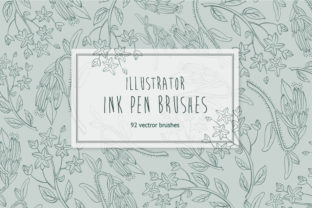
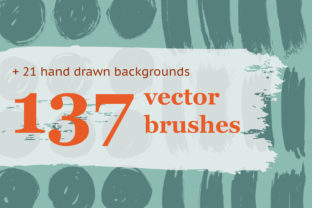
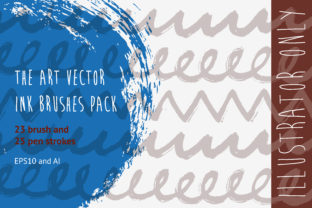
At its core, this pack offers a curated set of 23 brushes and 25 pen artistic strokes designed specifically to inject character into your work. Whether you are working on a branding project that needs a rustic touch or creating complex editorial illustrations, these tools provide the variability and texture that standard software brushes often lack. The beauty of this pack lies in its simplicity and its depth. You aren't just getting a static image; you are getting dynamic tools that react to your pressure and speed, mimicking the behavior of real-world nibs and quills.
Bringing Life to Branding and Packaging
One of the most compelling use cases for this toolkit is in the realm of branding and packaging design. In an era where minimalism often dominates, brands are increasingly seeking ways to stand out through authenticity. Imagine designing a label for a craft coffee roaster or a small-batch hot sauce. A clean, geometric sans-serif font might look professional, but it rarely tells a story. By applying the artistic strokes from this pack, you can create custom badges, borders, and typography that feel hand-lettered.
The 25 pen artistic strokes are particularly useful here. They allow you to sketch out logos that retain their crisp edges when scaled up for a billboard or down for a business card, thanks to the underlying vector format. This eliminates the pixelation issues common with raster-based brush sets. For a designer working in the food and beverage industry, this means you can deliver assets that look organic and handmade without sacrificing the technical requirements of print production. The result is a brand identity that feels approachable and artisanal, connecting emotionally with consumers who value craftsmanship.
Elevating Editorial and Publishing Illustrations
Editorial illustration is another field where The Art Vector Ink Brushes Pack shines. Magazines, newspapers, and online publications often require imagery that conveys mood and narrative quickly. The 23 brushes included in the set offer a range of textures, from fine, scratchy lines that suggest urgency or tension, to broad, flowing strokes that evoke calmness or elegance.
Consider an article about urban exploration. Using the rougher ink brushes, an illustrator can create gritty textures that mimic the decay of abandoned buildings, adding a layer of atmospheric depth that flat colors cannot achieve. Conversely, for a lifestyle piece on mindfulness, the smoother pen strokes can create fluid, continuous line art that guides the reader's eye gently across the page. The ability to toggle between these different styles within a single library saves valuable time during tight deadlines, allowing creatives to focus on composition and storytelling rather than building brushes from scratch.
Streamlining the Workflow for Fashion and Textile Designers
Fashion designers and textile artists often rely on vector tools to create repeat patterns and technical flats, but these can sometimes look too rigid. Integrating artistic ink brushes allows for the creation of prints that mimic hand-painted fabrics or screen-printed textures. When designing a floral pattern for a summer dress, using the variable-width strokes found in this pack can give petals and leaves a natural irregularity that makes the pattern feel less repetitive and more organic.
Moreover, because these are native Illustrator brushes, they remain fully editable. If a client requests a change in the thickness of a line or the curve of a stem, you can adjust the path without losing the brush effect. This flexibility is crucial in industries where revisions are frequent. The pack also includes EPS10 files, ensuring compatibility with older workflows or specific printing processes that require legacy file formats, making it a versatile addition to any studio's resource library.
Getting Started: Installation and Customization
Integrating these tools into your daily routine is straightforward, yet it opens up a world of possibilities. For those using Adobe Illustrator, accessing the full potential of the pack is just a few clicks away. You don't need to navigate complex menus or install third-party plugins. Simply open your Brush panel, locate the small triangle icon in the top right corner, and select Open Brush Library. From there, you navigate to the folder where you saved the pack and choose the brush file. Instantly, your library expands to include the 23 specialized brushes and 25 pen strokes.
However, the true power of this set lies in its customizability. While the presets are excellent out of the box, every artist has a unique style. The pack allows you to take objects from the included AI and EPS10 files and convert them into new brushes with your own specific settings. Perhaps you need a brush that scatters slightly more, or one that reacts differently to tablet pressure. By starting with the high-quality base objects provided, you can tweak parameters like fidelity, smoothness, and variation to create a signature tool that is uniquely yours. This hybrid approach—using professional presets as a foundation for personal experimentation—is where the real creative magic happens.
Practical Considerations Before You Begin
While the benefits of adopting The Art Vector Ink Brushes Pack are clear, there are a few practical considerations to keep in mind to ensure the best results. First, remember that these are vector-based tools. Unlike raster brushes that simulate paint buildup with pixels, these rely on mathematical paths. This means they are incredibly sharp at any size, but they behave differently depending on your stroke settings. It is often helpful to experiment with the "Pressure" sensitivity settings in your tablet driver to match the responsiveness of the brush to your natural hand movement.
Additionally, while the pack is designed for Illustrator, understanding the limitations of vector complexity is important. Applying highly detailed artistic brushes to extremely long paths can sometimes increase file size or slow down rendering on older machines. It is good practice to expand appearances only when necessary, such as right before final export or sending files to a printer. Keeping the brushes live allows for last-minute adjustments, which is a significant advantage during the iterative design process.
Another consideration is the aesthetic consistency. With 48 different stroke options available, it can be tempting to use them all in a single project. However, the most effective designs usually stick to a limited palette of tools. Choose two or three brushes from the set that complement each other—one for outlines, one for shading, and perhaps one for decorative accents—and build your visual language around those. This restraint ensures your work looks cohesive rather than chaotic.
Unlocking Creative Potential
Ultimately, tools like this are about removing friction between your imagination and the final output. When you stop worrying about how to simulate a dry ink effect or how to make a line look shaky without looking broken, you free up mental energy to focus on the core message of your design. Whether you are a freelance illustrator looking to diversify your portfolio, a marketing agency aiming to add a human touch to corporate communications, or a student learning the nuances of digital drawing, this pack provides a robust foundation.
The transition from sterile digital lines to expressive, artistic strokes can redefine how you approach a project. It invites imperfection, which is often the key to connection in a polished digital world. By leveraging the versatility of the 23 brushes and 25 pen strokes, you equip yourself with the ability to tackle a wide array of creative challenges with confidence. Happy designing, and may your vectors always carry the soul of a hand-drawn masterpiece.