Elevate Your Art with Procreate Ink Brushes
There is a distinct, tactile satisfaction in the stroke of a real pen on paper, a quality that digital art often struggles to replicate until you discover the right tools. For iPad artists seeking that authentic, handcrafted texture, Procreate Ink Brushes offer a seamless bridge between traditional illustration and modern digital workflow. These specialized assets are designed exclusively for the iOS app Procreate, ensuring that every line you draw carries the weight and nuance of genuine ink.
In the realm of professional graphic design, authenticity is a currency. Brands and creators are constantly searching for visual elements that cut through the noise of polished, vector-perfect imagery. This collection addresses that need by providing a set of 30 unique ink brushes that mimic the organic irregularities of hand-drawn strokes. Whether you are developing a brand identity that requires a human touch or creating social media graphics that need to feel personal, these brushes provide the necessary visual hierarchy to make your work stand out.
The Power of Hand-Drawn Aesthetics in Digital Design
The included set features 30 black ink brushes, each engineered to be pressure-sensitive when used with the Apple Pencil. This sensitivity is crucial for achieving dynamic line weights, allowing designers to transition smoothly from fine, delicate borders to bold, expressive marks within a single stroke. Such versatility is essential for maintaining visual interest in editorial design, packaging concepts, and custom typography.
Unlike standard digital tools that can feel sterile, these brushes introduce a "happy accident" quality to your work. They are particularly effective for simple black-and-white sketch-like illustrations, where the focus remains on composition and form rather than complex color palettes. By integrating these handmade effects, you can elevate a standard icon set into a bespoke design asset that resonates more deeply with audiences.
Practical Applications for Creative Professionals
Integrating these brushes into your design workflow can transform various types of creative projects. Because they emulate traditional media, they are incredibly versatile across different mediums:
- Branding and Logo Design: Add a custom, artisanal feel to logos that need to convey craftsmanship or heritage.
- Social Media Graphics: Create eye-catching posts that break the mold of corporate templates with organic textures.
- Editorial and Print Design: Enhance magazines, zines, and brochures with illustrative headers and decorative borders.
- Packaging Design: Develop unique patterns and labels that suggest a premium, hand-selected product.
- UI and Web Design: Incorporate hand-sketched elements to soften interfaces and guide user attention naturally.
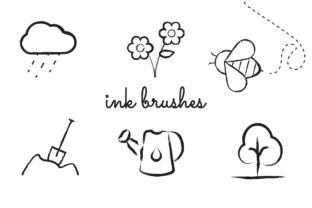
The download also includes six example illustrations demonstrating how these brushes can be applied in real-world scenarios. These samples serve as excellent design inspiration, showing how varying line weights and stroke styles can create depth and movement without relying on heavy shading or color.
Technical Compatibility and Installation
It is important to note that these assets are optimized specifically for the iPad ecosystem. They will not function in Adobe Photoshop or Adobe Illustrator, as they rely on Procreate's proprietary rendering engine to achieve their specific texture and flow. To use them, you simply need an iPad with the Procreate app installed.
Installing the brushes is a straightforward process that fits easily into any designer's routine. After downloading the ZIP file to your computer, you can transfer the individual .brush files to your iPad using cloud services like Dropbox, iCloud, Google Drive, Nextcloud, or Creative Cloud Files. Alternatively, you can email the files to yourself as attachments. Once the files are on your iPad, open the folder containing them and tap each .brush file individually; Procreate will automatically import them into your brush library.
When evaluating design assets for your next project, consider how the tool affects the final output. The best results with this set come from experimenting with different pressures and angles, much like you would with a physical dip pen. This approach ensures that your digital illustrations retain the unpredictability and charm of analog art.
Ultimately, the quality of your creative output depends heavily on the tools you choose. By incorporating high-quality, purpose-built assets like these ink brushes, you ensure that your visual communication is not only technically proficient but also emotionally engaging. In a market saturated with generic designs, the ability to deliver work with a genuine, handcrafted feel is a significant advantage for any professional looking to refine their brand identity and captivate their audience.