Integrating Swirling Sparkles PS Brushes into Professional Creative Workflows
In the realm of digital design, the difference between a flat composition and a captivating visual often lies in the subtle details. Lighting effects, texture overlays, and atmospheric elements serve as the finishing touches that elevate a project from functional to exceptional. For designers, photographers, and content creators operating within Adobe Photoshop, incorporating high-quality asset packs is a standard part of the production pipeline. The Swirling Sparkles PS Brushes collection represents a specific utility designed to streamline the addition of luminous, magical, or celebratory elements to a wide array of creative outputs.
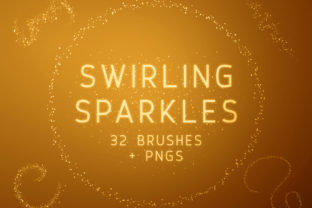
This digital download includes 32 Photoshop Brushes and 32 corresponding PNGs, offering flexibility for various stages of a project. Whether you are retouching a portrait, designing marketing materials for a product launch, or creating social media graphics, understanding how to integrate these assets efficiently can significantly impact your workflow speed and the final quality of your work.
Understanding the Asset Structure and Compatibility
Before implementing any new tool into a professional environment, it is essential to understand its technical specifications and compatibility. The Swirling Sparkles PS Brushes pack is structured to accommodate both traditional brush-based workflows and layer-based compositing. The inclusion of 32 distinct brushes allows for dynamic application, where pressure sensitivity and stroke direction can alter the appearance of the sparkles in real-time. This is particularly useful for artists who prefer a hand-painted approach to lighting effects.
Each brush in the set is large, with dimensions up to 2500 pixels. This resolution is a critical factor for scalability. In a practical workflow, this means you can apply the effect to a small web banner or a large-format print poster without worrying about pixelation or loss of detail. The ability to scale these assets up and down ensures that the shimmer remains crisp regardless of the canvas size, maintaining consistency across different deliverables.
For users who may not have immediate access to install custom brushes, or for those working in collaborative environments where sharing `.abr` files is cumbersome, the included PNGs offer a robust alternative. With 32 PNGs corresponding to each brush shape, users can simply drag and drop these files directly into their projects. Since these images feature no background, they integrate seamlessly over existing layers, requiring only blending mode adjustments to achieve the desired look. This dual-format approach ensures that the assets fit smoothly into diverse operational setups, from solo freelance gigs to agency-level production lines.
Strategic Placement in the Creative Process
The decision of when to introduce sparkle effects depends largely on the nature of the project. However, a disciplined workflow typically reserves these enhancements for the latter stages of production. Applying Swirling Sparkles PS Brushes too early can distract from foundational tasks such as composition, color grading, and structural editing.
Pre-Production and Planning
During the planning phase, identifying the need for atmospheric effects helps in selecting the right tools. If a project brief calls for a "magical," "festive," or "high-end" aesthetic, having this brush set ready in your library prevents last-minute searches for assets. Organizing your digital assets so that these brushes are easily accessible reduces friction during execution. Professionals often categorize their brush libraries by function—such as "texture," "lighting," and "particles"—to ensure quick retrieval during tight deadlines.
Execution and Layer Management
When moving into the execution phase, the method of application influences the editability of the final file. Using the installed Photoshop brushes allows for non-destructive editing if applied on a new, empty layer. This practice is vital for quality control; it enables you to lower the opacity, mask out specific areas, or change the color of the sparkles without altering the underlying image.
Alternatively, utilizing the PNGs involves dragging them onto the canvas as smart objects. This method is highly effective for precise placement. For instance, if you are highlighting a specific product feature in an advertisement, you can position a specific swirl pattern exactly where needed. Because the PNGs are pre-rendered, they offer a consistent look that does not vary with brush stroke speed, which can be advantageous when uniformity is required across a series of images.
Post-Production and Refinement
The final stage involves refining the integration of the sparkles to ensure they look natural within the scene. Rarely does a raw overlay look perfect immediately. Adjusting the blending mode is a standard procedure here. Modes such as Screen, Overlay, or Soft Light interact differently with the base image, allowing the sparkles to pick up underlying colors and shadows. This step transforms a simple graphic element into an integrated part of the lighting scheme. Additionally, applying a slight Gaussian blur or adjusting the hue/saturation can help match the temperature of the sparkles to the ambient light of the photograph or illustration.
Workflow Efficiency and Practical Implementation
Efficiency in creative work is not just about speed; it is about reducing the cognitive load associated with repetitive tasks. The Swirling Sparkles PS Brushes pack aids in this by providing a varied library of 32 options. Instead of manually painting individual points of light or searching for stock photos of bokeh, a designer can achieve complex results with a few strokes. This efficiency is particularly valuable for entrepreneurs and small business owners who manage their own marketing materials. It allows them to produce high-quality visuals without needing advanced illustration skills.
For educators and bloggers creating visual content for tutorials or articles, these brushes can draw attention to key elements. A subtle swirl around a text headline or a burst of sparkles near a call-to-action button can guide the viewer's eye effectively. The key is moderation; the goal is to enhance readability and engagement, not to overwhelm the audience. The variety within the 32-brush set supports this by offering different densities and shapes, allowing the creator to choose the intensity that best fits the context.
Integration with Broader Toolsets
No digital asset exists in a vacuum. The utility of these brushes is amplified when used in conjunction with other Photoshop features and external tools. For example, combining these sparkles with adjustment layers like Curves or Color Balance ensures that the added light matches the scene's exposure. When working on video projects, these PNGs can be imported into After Effects or Premiere Pro, where they can be animated to create moving particle effects, extending the lifespan and utility of the initial purchase.
Furthermore, for marketers running A/B tests on ad creatives, the ability to quickly swap out different sparkle patterns using the PNG files allows for rapid iteration. One version of an ad might use a subtle, fine mist of sparkles, while another uses bold, large swirls. Testing these variations can provide data-driven insights into what visual styles resonate best with the target audience.
Maintaining Quality and Consistency
Long-term use of any asset library requires a commitment to quality control. Over time, trends in design shift, and what looks modern today may appear dated tomorrow. However, classic lighting effects like swirling sparkles tend to remain relevant because they mimic natural phenomena like dust motes in sunlight or reflections on water. To maintain consistency across a brand's visual identity, it is advisable to create a preset or an action in Photoshop that standardizes how these brushes are applied. This might include setting a specific opacity level, blending mode, or color overlay that aligns with brand guidelines.
Organization is also paramount. As your library of brushes and PNGs grows, keeping the Swirling Sparkles PS Brushes folder clearly labeled and backed up ensures that you can retrieve them years later for re-edits or archived projects. Digital hoarding without organization leads to wasted time searching for files, negating the efficiency benefits the tools were meant to provide.
In conclusion, the integration of specialized assets like the Swirling Sparkles PS Brushes is a strategic move for any creative professional. By understanding the technical capabilities of the 32 brushes and PNGs, planning their use within the broader production timeline, and applying them with a focus on subtlety and cohesion, creators can enhance the visual appeal of their work. Whether used to add a touch of elegance to a wedding invitation, excitement to a sales flyer, or magic to a digital illustration, these tools serve as a practical bridge between a good concept and a polished final product.