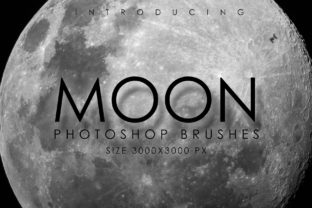
Mastering Celestial Art with 32 Planetary Moon Brushes
Creating a convincing night sky is one of the most challenging tasks for digital artists, whether you are designing a book cover, illustrating a sci-fi concept, or simply adding atmosphere to a personal project. The difference between a flat, unconvincing background and a breathtaking cosmos often lies in the details of the celestial bodies themselves. This is where the 32 Planetary Moon Brushes collection becomes an invaluable asset. Rather than spending hours painting craters, shadows, and surface textures from scratch, this set provides high-resolution tools designed to bring your night sky to life instantly. However, simply downloading a brush pack does not guarantee professional results. Many creators make avoidable errors when integrating pre-made assets into their workflows, leading to compositions that feel disjointed or low-quality. Understanding how to properly utilize these resources is key to maximizing their potential.
The Value of High-Resolution Assets in Digital Composition
The primary appeal of this specific collection lies in its resolution and variety. Each brush in the set is rendered at a substantial 3000px in size. In the world of digital art, resolution is often the first casualty when artists rush a project. A common mistake is using low-resolution stock images or small brushes that become pixelated when scaled up for print or high-definition screens. When you stretch a small image, you lose critical detail, resulting in a blurry moon that breaks the viewer's immersion. By starting with assets that are already 3000px, you ensure that your final piece retains crisp edges and visible surface texture, regardless of how large you need the moon to appear in your composition.
Furthermore, the diversity of the set addresses a frequent oversight in space-themed artwork: uniformity. Beginners often rely on a single image of Earth's moon for every scene, which makes different projects look identical. This collection solves that by offering 8 brushes of Earth's Moon in various phases, allowing you to match the lighting of your scene perfectly. Beyond our own satellite, the set includes individual images of moons orbiting other planets, such as the four major moons of Jupiter—Callisto, Ganymede, Io, and Europa—and a dozen from Saturn, including Titan, Enceladus, and Mimas. Having access to these distinct geological features allows for accurate storytelling. For instance, depicting a landscape on Io requires a very different visual approach than one on icy Enceladus, and having the correct reference built into your brush toolset streamlines this creative decision.
Avoiding Integration Errors and Lighting Mismatches
While having high-quality brushes is a great start, the most common pitfall artists encounter is poor integration. Dropping a stamp of Charon, the moon of Pluto, or Triton from Neptune onto a canvas without adjusting for the scene's light source is a surefire way to ruin an illustration. Every moon in this set has a specific direction of light and shadow based on its original rendering. If your scene's sun is coming from the left, but the brush stamp shows lighting from the right, the result will look like a sticker rather than a three-dimensional object floating in space.
To avoid this, you must treat these brushes as base layers rather than final elements. Before committing to a placement, check the lighting direction of the specific phase or moon you are selecting from the 32 Planetary Moon Brushes. If the angle doesn't match your environment, use transformation tools to flip or rotate the brush stamp if the symmetry allows, or be prepared to paint over the shadows and highlights manually to align them with your scene. Another effective technique is to lower the opacity of the brush slightly and use blending modes like "Overlay" or "Soft Light" to let the underlying colors of your sky interact with the moon's surface, creating a more cohesive atmospheric effect.
Understanding Scale and Perspective
Another area where creators often stumble is scale. Space is vast, and moons vary wildly in size relative to their planets and each other. A frequent error is placing Titan, Saturn's largest moon, next to a tiny depiction of Deimos, one of Mars' small moons, without context, or making a distant moon appear larger than a foreground planet. While artistic license is acceptable, maintaining a sense of believable proportion adds weight to your work. Use the variety in this set to your advantage; the inclusion of smaller moons like Pandora and Prometheus alongside giants like Ganymede gives you the flexibility to create deep field shots with multiple celestial bodies at varying distances. Remember that objects further away should be smaller and often less detailed due to atmospheric haze, even if the brush itself is high resolution.
Maximizing Workflow Efficiency and File Management
Beyond the artistic application, there are practical considerations regarding file management and installation that can impact your productivity. The set comes with a single .ABR file, installation instructions, and a free bonus illustration. A common frustration for users occurs when they fail to read the installation instructions, leading to brushes not appearing in their software library. Taking two minutes to follow the provided guide ensures you can access the tools immediately. Additionally, many users overlook the included bonus illustration. This is not just a freebie; it serves as an excellent case study. Analyzing how the creator layered these moons, adjusted their colors, and integrated them into a full scene can teach you more about the intended workflow than any tutorial could.
It is also wise to organize your brush presets. With 32 distinct options, scrolling through a long list can slow down your creative flow. Consider grouping the Earth phases separately from the planetary moons if your software allows, or simply memorize the icons for the ones you use most frequently, such as the Jovian moons or the Saturnian ring-moons like Rhea and Tethys. Efficient organization prevents the "analysis paralysis" where you spend more time searching for the right brush than actually painting.
Making the Right Choice for Your Project
Before diving into a new project, evaluate whether this specific set meets your needs. If your work focuses exclusively on Earth-based night scenes, the eight lunar phases might be all you ever use. However, if you are a concept artist, educator, or sci-fi enthusiast, the inclusion of moons from Uranus (like Ariel and Oberon) and the dwarf planet sector (Charon) offers a unique edge that sets your work apart from generic space art. The versatility of having 32 options means you are less likely to reuse the same asset twice, keeping your portfolio fresh and diverse.
Ultimately, the goal is to enhance your creativity, not replace it. These brushes are tools to accelerate the tedious parts of texturing and detailing, freeing you to focus on composition, color theory, and narrative. By avoiding the traps of mismatched lighting, incorrect scaling, and poor file management, you can leverage the 32 Planetary Moon Brushes to produce professional-grade astronomical illustrations. Whether you are a freelancer delivering assets to a client or a hobbyist exploring the solar system through art, approaching these tools with a strategic mindset will yield the most satisfying and visually stunning results.