30 Vintage Paper Photoshop Brushes 1
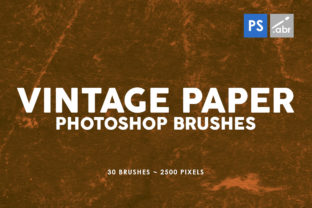
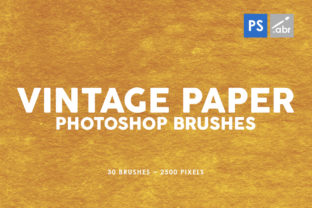
Adding texture to digital art can be the difference between a flat, lifeless image and a piece that feels tactile and alive. 30 Vintage Paper Photoshop Brushes 1 offers a curated collection designed to bring that organic, worn feel directly into your workflow. This set includes 30 distinct old paper brushes, each rendered at a generous 2500 pixels in size. Whether you are a seasoned graphic designer or just starting your journey with photo editing, these high-resolution textures serve as a versatile tool for elevating projects across various mediums.
The core appeal of this brush set lies in its simplicity and compatibility. It works seamlessly with any version of Photoshop, removing the barrier of needing the latest software update to access quality assets. When you apply these brushes, you aren't just adding a filter; you are layering complex details that mimic the imperfections of real-world paper. From subtle grain to more pronounced tears and stains, the variety within the pack ensures you can find the right mood for every composition.
Why Texture Matters in Digital Design
In an era where screens dominate our visual consumption, digital images often suffer from being too clean. Perfection can sometimes feel sterile. Introducing elements like those found in 30 Vintage Paper Photoshop Brushes 1 helps bridge the gap between the digital and physical worlds. These textures add depth, history, and character to your work.
Consider the psychological impact of texture. A smooth, gradient background might look modern, but a backdrop with the faint crinkle of aged parchment evokes nostalgia, warmth, and authenticity. For marketers and small business owners, this can be a powerful way to connect with an audience on an emotional level. It suggests craftsmanship and attention to detail, qualities that consumers increasingly value.
Furthermore, using high-resolution assets is crucial for professional output. With a size of 2500 pixels, these brushes retain their clarity even when applied to large canvases or high-DPI displays. You won't encounter the pixelation or blurriness that often plagues lower-quality free downloads. This ensures your final export looks crisp whether it is viewed on a smartphone or printed on a large poster.
Practical Applications for Creators
The versatility of 30 Old paper brushes inside this collection means they fit into nearly any creative pipeline. Here are several ways you can integrate them into your daily work:
- Photo Overlays: One of the most common uses is applying these textures over photographs. By setting the blend mode to "Multiply" or "Overlay," you can instantly give a modern portrait a vintage, film-like quality. This is particularly effective for wedding photographers or lifestyle bloggers looking to create a cohesive, retro aesthetic.
- Digital Photo Manipulation: When compositing multiple images together, matching the texture of different elements is key to making the scene believable. Using these paper brushes allows you to unify disparate photos under a single visual theme, making the manipulation look seamless rather than cut-and-paste.
- Game Art and Concept Design: Game developers often need quick ways to generate environmental assets. These brushes can be used to create background maps, UI elements, or item descriptions that feel like they belong in an old journal or treasure map. The high resolution ensures they scale well for different screen sizes.
- Decorative Elements: For web designers and social media managers, these textures make excellent decorative accents. Use them to frame text, create unique backgrounds for quotes, or add visual interest to email newsletters without overwhelming the main message.
Ideas for Beginners and Hobbyists
If you are new to Photoshop, working with brushes might seem intimidating, but this set is designed to be user-friendly. You don't need to understand complex masking techniques to get great results. Simply select the brush, choose a color (or leave it black for standard texture), and click on your canvas.
Try creating a simple digital scrapbook page. Import a family photo, add a solid color background, and then use one of the 30 Vintage Paper Photoshop Brushes 1 to stamp a textured border around the image. Adjust the opacity to soften the effect. This simple exercise demonstrates how quickly you can transform a standard layout into something with personality.
Another fun project for educators or students is designing historical presentations. Instead of using generic white slides, apply a subtle paper texture to the background. It immerses the audience in the time period you are discussing, making the learning experience more engaging. The brushes work equally well for creating handouts, certificates, or award templates that need to look official yet classic.
Key Considerations Before You Start
While these tools are powerful, getting the best results requires a bit of intentionality. Here are a few things to keep in mind as you begin experimenting:
- Blend Modes are Your Friend: The magic of texture brushes often happens in the Layers panel. Don't be afraid to cycle through blend modes like Multiply, Screen, Soft Light, and Overlay. Each mode interacts with the colors beneath the brush differently, offering a wide range of effects from subtle graining to heavy distressing.
- Layer Opacity: Sometimes a full-strength brush stroke is too harsh. Lowering the opacity of the brush or the entire layer can create a more nuanced, realistic look. Real paper wear is rarely uniform; varying the intensity helps mimic natural aging.
- Color Adjustment: Although many vintage effects rely on sepia or grayscale tones, these brushes are not limited to brown and beige. You can clip a color adjustment layer to your texture to match your brand's color palette while retaining the gritty detail.
- Resolution Awareness: Since these brushes are 2500 pixels, they are substantial. If you are working on a very small web graphic, you may need to scale the brush down. Conversely, for large format printing, this size provides ample room to work without losing detail.
Enhancing Professional Workflows
For freelancers and entrepreneurs, time is money. Having a reliable go-to resource for textures speeds up the design process significantly. Instead of hunting for stock photos or creating textures from scratch, you have a dedicated library ready to deploy. This consistency also helps in building a recognizable style for your clients. If you frequently deliver work with a specific textured finish, it becomes part of your signature look.
Moreover, because 30 Vintage Paper Photoshop Brushes 1 works with any Photoshop version, teams with mixed software environments can collaborate without compatibility issues. You can share files knowing that the brush strokes will render correctly on both older and newer systems. This reliability is essential for agencies managing multiple projects simultaneously.
Ultimately, the value of this set extends beyond just the number of brushes included. It is about the quality of the scan and the thought put into capturing the essence of old paper. These are not just noise patterns; they are detailed representations of physical materials. Whether you are designing a logo, editing a portrait, or creating concept art, these tools provide the foundational grit needed to make your digital creations feel grounded and real.
Exploring the potential of 30 Old paper brushes inside this collection can open up new creative avenues. They invite you to experiment, to layer, and to break away from the perfection of the digital grid. By integrating these high-resolution textures into your toolkit, you equip yourself with the ability to tell richer, more textured stories through your visuals.