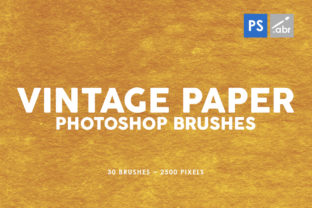
30 Vintage Paper Photoshop Brushes 3 Guide
Adding texture to digital art can often feel like the missing piece that transforms a flat, sterile image into something with depth and history. This is exactly where 30 Vintage Paper Photoshop Brushes 3 steps in to simplify your workflow. Whether you are a seasoned graphic designer or someone just starting to explore photo manipulation, having access to high-quality textures is essential. This specific collection offers a curated set of tools designed to bring an authentic, aged look to your projects without the need for complex layering techniques or expensive stock photography.
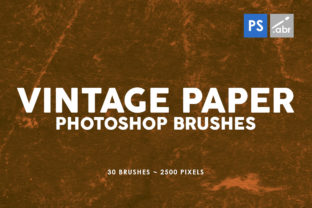
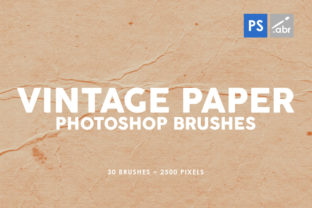
The core appeal of this pack lies in its simplicity and versatility. Inside, you will find 30 old paper brushes that have been meticulously crafted to simulate real-world surfaces. These aren't just random noise patterns; they replicate the grain, fibers, stains, and wear found on actual vintage documents. Because these brush textures are high resolution, specifically sized at 2500 pixels, they retain their clarity even when applied to large canvases or printed materials. You won't have to worry about pixelation ruining the effect when you scale your work up for a poster or a high-definition screen.
Why Texture Matters in Digital Design
In the world of digital creation, perfection can sometimes be the enemy of engagement. Clean lines and smooth gradients are great for corporate branding, but they often lack the emotional resonance that comes from imperfection. Human beings are drawn to things that feel tangible. When you apply a vintage paper texture to a photograph or an illustration, you subconsciously signal to the viewer that this object has a history. It feels touched, used, and real.
This is the primary problem that 30 Vintage Paper Photoshop Brushes 3 solves. Many beginners struggle to create realistic overlays because they don't know how to blend modes work or where to find seamless textures. With these brushes, the heavy lifting is already done. You simply select the brush, choose your color (usually black, white, or sepia), and paint directly onto your layer. The result is an instant infusion of character that can turn a standard portrait into a moody editorial piece or a flat logo into a rustic badge.
Practical Applications for Creators
The utility of this collection extends far beyond simple photo filters. Because these tools work with any Photoshop version, they are accessible to everyone, from students using older software in school labs to professionals running the latest Creative Cloud suites. Here are several ways you can integrate these brushes into your daily work:
- Photo Overlays and Manipulation: Use the brushes to add dust, scratches, or fiber details over portraits. This is particularly effective for black-and-white photography, where the contrast between the subject and the textured background creates a timeless aesthetic.
- Digital Art and Illustration: If you paint digitally, your canvas can sometimes feel too "smooth." Painting with these vintage brushes as a base layer gives your digital paintings the feel of traditional watercolor paper or rough canvas.
- Game Asset Creation: Indie game developers often need quick ways to texture environments or UI elements. These brushes can serve as visual effects for old maps, quest logs, or background scenery in retro-style games.
- Marketing and Social Media: For bloggers and small business owners, standing out on social media feeds is crucial. Using these textures on promotional graphics can give your brand a unique, handcrafted vibe that separates you from competitors using generic templates.
- Decorative Elements: Use them to frame text, create borders, or add subtle grunge effects to wedding invitations, certificates, and packaging designs.
Ideal for Beginners and Professionals Alike
One of the most significant advantages of 30 Vintage Paper Photoshop Brushes 3 is its low barrier to entry. You do not need to be an expert in blending modes or masking to get great results. For a beginner, the process is intuitive: load the brushes, create a new layer, and start painting. The high resolution ensures that even if your stroke isn't perfect, the texture itself looks professional.
For professionals, the value lies in efficiency. Instead of spending twenty minutes searching for the right stock image of crumpled paper and then masking it out, you can achieve a similar or better effect in seconds. The variety within the 30 old paper brushes means you have options for different types of aging—some might look like yellowed parchment, while others resemble rough cardboard or stained newsprint. This variety allows for nuanced control over the final mood of your project.
Things to Consider Before You Start
While these brushes are powerful, getting the best results requires a bit of experimentation. Since the brushes are 2500 pixels in size, they are quite large. If you are working on a small web graphic, you may need to adjust the brush size settings in Photoshop to ensure the texture doesn't overwhelm your composition. Conversely, for large format printing, this size is ideal and provides plenty of detail.
It is also important to think about color. While these are often used in black and white, don't be afraid to sample colors from your existing artwork. Painting a vintage texture in a deep blue or a muted olive green can create unique stylistic choices that fit specific brand guidelines. Additionally, remember that less is often more. Applying the texture at 100% opacity can sometimes look too heavy. Try lowering the layer opacity to 30% or 50% to let the texture sit subtly beneath your main content.
Another consideration is the file format and compatibility. Since this set works with any Photoshop version, you don't need to worry about legacy files. However, always ensure you are saving your final work in a format that preserves layers if you plan to edit it later. Using these brushes non-destructively—by keeping them on separate layers—gives you the flexibility to toggle the effect on or off as your design evolves.
Elevating Your Creative Toolkit
Ultimately, adding 30 Vintage Paper Photoshop Brushes 3 to your library is an investment in the quality and feel of your output. In a digital landscape saturated with clean, vector-based graphics, introducing organic imperfections helps your work stand out. Whether you are creating a nostalgic advertisement, designing a book cover, or just experimenting with personal art, these textures provide the raw material needed to tell a richer visual story.
The ability to use them as photo overlays, for digital photo manipulation, or as visual effects for games makes them a versatile asset for almost any creative discipline. They bridge the gap between the digital and physical worlds, reminding viewers that behind every pixel, there is an artist aiming for authenticity. By incorporating these high-resolution tools into your routine, you unlock new possibilities for expression and ensure that your projects carry a distinct, memorable weight.