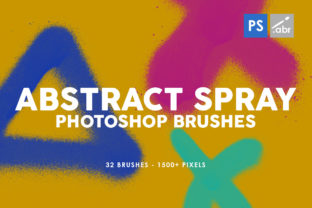
32 Abstract Spray Brushes for Bold Design
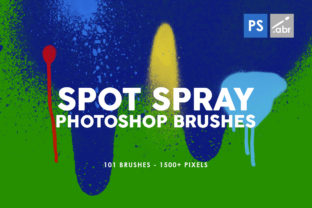
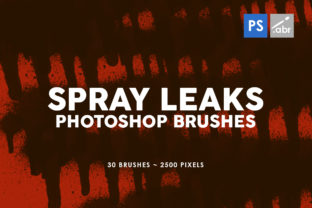
There is a distinct energy in hand-painted ink that digital tools often struggle to replicate. When you work with standard software filters, the result can feel sterile, predictable, and overly smooth. This is where the 32 Abstract Spray Photoshop Brushes change the workflow. These are not algorithmic generated patterns; they are genuine textures created by spraying inks onto paper, scanning the results at high resolution, and refining them for digital use. The outcome is a collection of organic, imperfect, and vibrant assets that bring a tactile quality to flat screens.
For designers, marketers, and creators aged 20 to 50, the challenge often lies in making digital projects feel human. Whether you are designing a flyer for a local music festival, creating a cover for an ebook, or building a brand identity for a startup, adding texture is one of the fastest ways to inject personality. This pack offers up to 5000 pixels in size, ensuring that whether you are printing a large poster or designing a website header, the edges remain crisp and the details stay sharp.
The Value of Authentic Texture in Digital Work
The core appeal of this brush set lies in its origin story. Because these shapes were painted physically before being digitized, they carry the natural randomness of fluid dynamics. Ink behaves differently than pixels; it pools, splatters, and fades in ways that are difficult to mimic with a mouse or a standard tablet setting. By using these 32 Abstract Spray Photoshop Brushes, you bypass the need to create these effects from scratch, saving hours of experimentation while achieving a professional, artisanal look.
High resolution is critical for modern design demands. A brush that looks good at 500 pixels might fall apart when scaled up for a trade show banner. With sizes reaching 5000 pixels, these brushes provide the flexibility needed for both print and web environments. You can scale them down for subtle background elements in a mobile app interface or use them at full scale for dominant visual statements on a storefront window display. The versatility ensures that your investment pays off across multiple mediums.
Practical Applications Across Industries
The utility of these spray shapes extends far beyond simple decoration. Different professionals can leverage these tools to solve specific communication problems. Here is how various creators can adapt these brushes for their unique goals:
- Graphic Designers and Branding Experts: Use the sprays to break up rigid grid layouts. A corporate annual report can feel stiff, but adding a subtle, colorful spray texture behind key statistics can make the data feel more approachable and dynamic.
- Marketers and Social Media Managers: In a feed dominated by polished, airbrushed photography, a post featuring raw ink textures stands out. Use these brushes to create backgrounds for quote cards or to frame product shots for Instagram stories, giving your brand a "hand-crafted" aesthetic that resonates with audiences seeking authenticity.
- Event Planners and Print Specialists: For invitations, flyers, and posters, these brushes add a layer of sophistication. A wedding invitation with a soft, watercolor-like spray edge feels more personal than a standard geometric border. Similarly, concert posters benefit from the gritty, energetic vibe of abstract ink splatters.
- Web Developers and UI Designers: While minimalism is popular, "neo-brutalism" and textured web design are trending. Use these high-res scans as masked elements in hero sections or as loading screen animations to add depth without slowing down site performance.
- Educators and Presenters: PowerPoint and Keynote decks often suffer from template fatigue. Incorporating these abstract shapes into slide backgrounds or as bullet point markers can keep an audience engaged and make educational materials feel less like a lecture and more like a creative workshop.
Techniques for Effective Integration
Simply stamping a brush onto a canvas is rarely enough to create a cohesive design. To get the most out of the 32 Abstract Spray Photoshop Brushes, consider how they interact with other elements in your composition. The goal is to make the texture feel intentional, not accidental.
Layering and Blending Modes are your best friends here. Try setting the brush layer to "Multiply" to let the texture blend naturally with colored backgrounds, or use "Screen" to make the ink pops glow against dark themes. Experiment with opacity; lowering it to 30% or 40% can create a atmospheric haze rather than a solid shape, which works beautifully for backgrounds in web design or app interfaces.
Color customization is another powerful avenue. Since these are scanned black ink textures, they act as perfect masks. You can easily apply a "Color Overlay" or use them as clipping masks for gradients and images. This allows you to match the spray exactly to your brand's color palette. Imagine a tech startup using their signature electric blue gradient clipped inside a rough spray shape to soften their futuristic logo.
Creating Patterns and Unique Assets
Beyond single-use elements, these brushes are excellent for generating custom patterns. By arranging several of the 32 unique shapes in a repeating sequence, you can create seamless textures for packaging, fabric prints, or website backgrounds. Because the source material is organic, the resulting pattern will avoid the robotic repetition often seen in digital tiles.
For product designers, these textures can be applied to mockups. If you are designing a phone case or a laptop skin, applying these spray shapes gives clients a realistic preview of how the design would look on a physical object. It bridges the gap between the digital file and the tangible product.
Maintaining Clarity and Consistency
While creativity is encouraged, discipline ensures the final product remains effective. When working with bold textures like spray paint, it is easy to overwhelm the viewer. Keep the following principles in mind to maintain a professional standard:
- Hierarchy First: Ensure that text and primary calls-to-action remain legible. If a spray shape interferes with readability, move it to the background or reduce its opacity. The texture should support the message, not compete with it.
- Consistent Style: If you choose a gritty, high-contrast spray style for your headers, carry that same energy through your icons and dividers. Mixing too many different texture styles can make a project look disjointed.
- Context Awareness: Consider your audience. A playful, chaotic spray arrangement might work for a youth-oriented streetwear brand but could undermine the trust required for a financial services brochure. Adapt the intensity and placement of the brushes to fit the tone of the project.
Ultimately, the 32 Abstract Spray Photoshop Brushes serve as a bridge between traditional artistry and modern efficiency. They allow you to bypass the mess of physical painting while retaining the soul of the medium. Whether you are a freelancer looking to diversify your portfolio, a small business owner creating your own marketing materials, or a hobbyist exploring digital art, these tools provide a robust foundation for original work.
By integrating these high-resolution, hand-painted elements into your workflow, you elevate the perceived value of your output. You signal to your audience that care was taken in the details, that there is a human hand behind the screen. In a world increasingly saturated with AI-generated perfection, that touch of organic imperfection is not just stylish—it is essential.