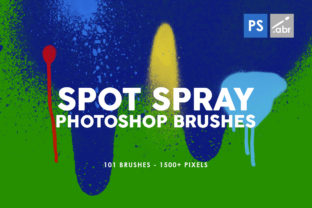
Evaluating the 101 Spot Blob Spray Photoshop Brushes for Digital Design
In the realm of digital graphic design, achieving an authentic, organic aesthetic often requires moving beyond standard vector shapes and clean lines. Designers frequently seek tools that introduce texture, imperfection, and a hand-crafted feel to their work. One such resource is the collection known as the 101 Spot Blob Spray Photoshop Brushes. This asset pack offers a specific type of visual element: spray paint shapes and textures derived from physical media. Understanding the origin, capabilities, and limitations of these brushes is essential for designers deciding whether they align with a specific project's requirements.
Origin and Technical Composition
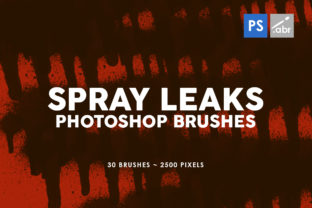
The defining characteristic of this brush set is its analog foundation. Unlike many digital brushes that are generated algorithmically or painted directly onto a tablet, these textures begin as physical ink on paper. The creator applied actual spray paint and inks to create unique blobs, spots, and splatters. These physical creations were subsequently scanned at high resolution and meticulously edited within Photoshop to function as usable brush presets.
This workflow results in a collection of 101 unique spray blob spot photoshop brushes that retain the natural irregularities of real-world fluid dynamics. The technical specification of up to 5000 pixels in size is a critical factor for professional use. High-resolution assets allow designers to scale the textures significantly without encountering pixelation or loss of detail. This makes the brushes viable for both large-format print projects and detailed digital compositions where clarity is paramount.
Practical Applications and Use Cases
The versatility of high-resolution spray textures allows them to be integrated into a wide array of design contexts. Because the brushes mimic real paint, they are particularly effective in projects requiring a gritty, urban, or artistic vibe. Common applications include:
- Print Media: The resolution supports usage in flyers, posters, banners, and invitations where print quality is non-negotiable.
- Digital Interfaces: When scaled appropriately, these textures can add depth to website headers, app backgrounds, and presentation slides.
- Branding Assets: They serve well in creating unique patterns for packaging, case designs, or cover art that needs to stand out from sterile corporate aesthetics.
- Template Creation: Designers building templates for others can use these brushes to provide ready-made organic elements that users can easily customize.
The "huge pack of spray paint shapes and textures" provides a diverse library, reducing the need for designers to source multiple different packs to find the right variation of a splatter or drip.
Benefits of Analog-Derived Digital Assets
The primary advantage of using the 101 Spot Blob Spray Photoshop Brushes lies in their authenticity. Digital noise filters and procedural generators often produce patterns that the human eye can identify as repetitive or artificial. Because these brushes are scans of real ink interactions, no two spots are exactly alike in their micro-details. This introduces a level of randomness and complexity that is difficult to replicate purely digitally.
Furthermore, the separation of the texture from the background during the editing phase offers significant flexibility. Designers can apply these brushes on separate layers, allowing for easy adjustment of opacity, blending modes, and color. This non-destructive workflow enables rapid experimentation. A designer can quickly test how a specific spray texture interacts with a photograph or a solid color block without committing to a permanent change.
Considerations and Tradeoffs
While the benefits are substantial, there are tradeoffs to consider when selecting this toolset. The most notable consideration is file size and system performance. High-resolution brushes (up to 5000 pixels) consume more memory than smaller, low-res alternatives. On older computers or when working with complex documents containing hundreds of layers, loading and utilizing large brush presets may slightly impact performance.
Additionally, the aesthetic is specific. The "spray paint" look carries connotations of street art, grunge, and raw expressionism. While versatile, this style may not suit every brand identity. Corporate reports, medical brochures, or minimalist luxury branding often require cleaner, more controlled visuals. In such scenarios, the chaotic nature of spray blobs might clash with the intended message unless used very sparingly as a subtle background texture.
Another factor is the learning curve associated with mastering brush dynamics. To get the most out of these tools, a user must understand how to adjust settings like flow, opacity jitter, and scattering within Photoshop. Simply clicking once may not yield the desired effect; understanding how to build up layers of spray to create depth is necessary for professional results.
When to Choose This Pack vs. Alternatives
Deciding whether to invest time in learning and utilizing the 101 Spot Blob Spray Photoshop Brushes depends largely on the project goals. This pack is a strong fit if:
- Authenticity is a priority: The project demands a look that feels handmade rather than computer-generated.
- Scale is required: The final output involves large formats where lower resolution textures would appear blurry.
- Variety is needed: The designer requires a broad range of splatter types without purchasing multiple individual packs.
Conversely, alternatives may be worth considering if the project requires vector scalability above all else. Vector shapes can be resized infinitely without any regard for pixel dimensions, making them superior for logos that must appear on both a business card and a billboard. If the design goal is absolute precision and geometric perfection, procedural vector tools or clean line-art brushes would be more appropriate than organic spray textures.
Similarly, if the target audience associates spray paint with vandalism or negativity, and the brand image relies on trust and stability, a softer watercolor brush set or a clean geometric pattern library might be a safer strategic choice.
Making an Informed Decision
Ultimately, the value of the 101 Spot Blob Spray Photoshop Brushes is determined by how well they solve a specific design problem. They bridge the gap between the tactile world of physical painting and the efficiency of digital editing. For designers working on cards, invitations, banners, templates, flyers, covers, and posters, these brushes offer a reliable method to inject energy and texture into static layouts.
Before integrating them into a workflow, it is advisable to test the brushes in a sample document to gauge their interaction with existing assets. Evaluate whether the 5000-pixel resolution meets the specific DPI requirements of your print vendor or display medium. By weighing the need for organic realism against the constraints of file performance and brand guidelines, designers can determine if this extensive collection of scanned ink textures is the right addition to their creative toolkit.