Evaluating the 100 Cloudy Smoke Photoshop Stamp Brushes for Digital Projects
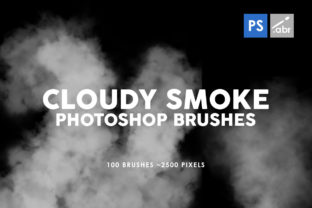
Digital artists and photo editors often face the challenge of creating realistic atmospheric effects without spending hours manually painting them. The 100 Cloudy Smoke Photoshop Stamp Brushes collection offers a pre-made solution designed to streamline this process. This set includes 100 individual brush textures, each capable of reaching sizes up to 2500 pixels. Designed for compatibility with any version of Adobe Photoshop, these tools aim to provide high-resolution assets for a variety of creative applications, from photo manipulation to game asset creation.
When evaluating whether to integrate this specific brush set into your workflow, it is essential to look beyond the marketing claims and understand the practical implications of using stamp brushes versus other methods. This analysis explores the capabilities, benefits, and limitations of the collection to help you determine if it aligns with your specific project requirements.
Understanding the Asset Collection
The core of this product is a library of 100 distinct smoke and cloud textures formatted as Photoshop stamp brushes. Unlike standard shape brushes that repeat a pattern, stamp brushes apply a unique, static image of smoke or vapor with each click. The resolution is a critical factor here; with dimensions reaching up to 2500 pixels, these brushes are classified as high resolution. This allows users to apply effects to large canvases or print-ready documents without immediate pixelation or loss of detail.
Compatibility is another defining feature. The set is engineered to function across any Photoshop version. This universality is significant for professionals who may work on older hardware or within studio environments where software updates are regulated. Whether you are using a legacy version of the software or the latest Creative Cloud release, the brush engine interprets these stamps consistently, ensuring that the visual output remains stable regardless of the interface version.
Primary Applications and Use Cases
The versatility of the 100 Cloudy Smoke Photoshop Stamp Brushes makes them suitable for several distinct workflows. Understanding where they fit best can help you decide if they are a necessary addition to your toolkit.
- Photo Overlays and Manipulation: One of the most common uses is adding atmospheric depth to photographs. Photographers often need to introduce fog, mist, or smoke to alter the mood of an image. These brushes allow for precise placement of these elements, enabling seamless blending with existing lighting conditions in a photo.
- Digital Artwork and Illustration: Concept artists and illustrators can use these stamps to quickly block in environmental effects. Instead of painting complex smoke plumes from scratch, an artist can stamp the base texture and then refine it, significantly speeding up the rendering process for scenes involving fire, explosions, or mystical environments.
- Visual Effects for Games: While game engines typically use particle systems for real-time effects, 2D game assets or UI elements often require pre-rendered smoke textures. The high resolution of these brushes ensures they remain crisp when scaled down for sprite sheets or background parallax layers.
- Decorative Elements: Graphic designers may utilize these textures for poster design, album covers, or web banners where a grunge or ethereal aesthetic is desired. The organic nature of the smoke adds texture to otherwise flat vector designs.
Benefits of Using Pre-Made Stamp Brushes
The primary advantage of adopting this collection is efficiency. Creating realistic smoke requires a nuanced understanding of fluid dynamics, light scattering, and opacity gradients. For many creators, mastering these techniques takes considerable time. By utilizing the 100 Cloudy Smoke Photoshop Stamp Brushes, users bypass the learning curve associated with painting realistic vapor, allowing them to focus on composition and color grading.
Furthermore, the variety within the set—100 different variations—provides a broad range of densities and shapes. Some stamps may offer wispy, thin trails suitable for cigarette smoke or steam, while others may provide dense, billowing clouds ideal for stormy skies or heavy fog. Having this diversity in a single package reduces the need to search for multiple external resources, keeping the workflow contained within a single software environment.
The high-resolution nature of the files also supports non-destructive editing. Because the source texture is large (up to 2500 pixels), users can scale the brush down significantly without losing quality. This flexibility is crucial when working on projects that may eventually be repurposed for different media formats, such as moving from a web banner to a large-format print.
Tradeoffs and Considerations
While stamp brushes offer speed, they come with inherent tradeoffs that users must consider. The most significant limitation is the lack of dynamic flow. Since these are static stamps, they do not react to pressure sensitivity in the same way a textured flow brush does. Each click places the exact same image. To create a continuous, evolving trail of smoke, the user must manually rotate, scale, and vary the opacity of each stamp. This can make the process feel somewhat repetitive compared to using a dynamic brush that changes shape as you drag the stylus.
Additionally, because the textures are pre-defined, there is a risk of recognizability. If the same set of 100 brushes is used frequently across different projects without significant modification, viewers may begin to notice repeated patterns. To mitigate this, users should combine these stamps with masking, blurring, and color adjustment layers to ensure the final effect looks unique to the specific composition.
Another consideration is file management. High-resolution brush sets can increase the size of your Photoshop preferences file. While modern computers handle this easily, users with limited storage or older machines might experience slight delays when loading the brush preset manager, though this rarely impacts actual painting performance once loaded.
When to Choose Alternatives
There are scenarios where the 100 Cloudy Smoke Photoshop Stamp Brushes may not be the optimal choice. If your project requires highly animated smoke sequences for video editing or motion graphics, static Photoshop brushes will have limited utility. In those cases, dedicated video stock footage or After Effects particle plugins would be more appropriate.
Similarly, if your artistic style relies heavily on expressive, hand-painted strokes where every mark is unique, a standard round brush with texture overlays might offer more control than a stamp brush. Stamp brushes are best suited for adding specific elements rather than building an entire painting from the ground up.
Users looking for volumetric 3D lighting effects might also find that 2D stamp brushes lack the depth required for hyper-realistic 3D compositing. In such instances, 3D rendered smoke simulations or specialized 3D software tools would yield superior results.
Making the Decision
Deciding whether to incorporate this brush set into your workflow depends largely on your current needs and the type of projects you undertake. If you frequently work on photo retouching, digital matte painting, or graphic design where quick insertion of atmospheric elements is valuable, this collection represents a solid investment of time. The ability to instantly place high-quality smoke textures can drastically reduce production timelines.
However, if your work demands total procedural control over every pixel of vapor or involves heavy animation, you may find the static nature of stamp brushes limiting. It is often beneficial to view these brushes as one tool among many in a broader toolkit, rather than a standalone solution for all atmospheric effects.
Ultimately, the 100 Cloudy Smoke Photoshop Stamp Brushes serve as a practical resource for enhancing visual storytelling. By providing high-resolution, compatible, and varied textures, they remove technical barriers, allowing creators to focus on the artistic intent of their work. Evaluating your specific workflow against the strengths and limitations outlined above will help you determine if this asset pack is the right fit for your next creative endeavor.