Evaluating 30 Watercolor Photoshop Stamp Brushes 1 for Digital Design Projects
Digital artists and graphic designers often face the challenge of balancing efficiency with organic aesthetics. While vector tools offer precision, they can sometimes lack the natural imperfections found in traditional media. This is where specialized brush sets become essential assets in a creative workflow. The 30 Watercolor Photoshop Stamp Brushes 1 collection represents a specific category of digital tools designed to bridge this gap, offering pre-rendered textures that simulate watercolor effects within the Adobe Photoshop environment.
For professionals and hobbyists alike, understanding the utility, technical specifications, and appropriate applications of such a toolset is crucial before integration. This evaluation explores what this specific brush set offers, who stands to benefit most from its inclusion, and how it compares to alternative methods of achieving similar results.
Understanding the Asset: Specifications and Composition
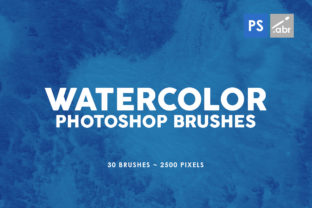
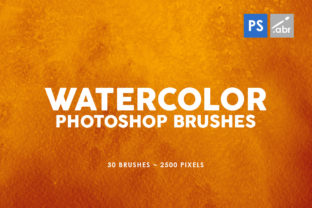
The core value of the 30 Watercolor Photoshop Stamp Brushes 1 lies in its composition as a stamp-based resource rather than a dynamic painting tool. Unlike standard brushes that react to pressure sensitivity and stroke speed to create varying lines, stamp brushes apply a fixed image or texture with each click. This particular set includes 30 distinct variations, providing a diverse range of watercolor splashes, blooms, and washes.
Technically, these brushes are engineered for high fidelity. Each stamp is rendered at a size of 2500 pixels, ensuring that the textures remain crisp even when scaled down or used in high-resolution print layouts. A significant advantage of this asset is its compatibility; it is designed to function seamlessly with any version of Adobe Photoshop. This universality removes barriers for users working on older software versions or those who have not yet upgraded to the latest Creative Cloud releases, ensuring long-term usability regardless of software updates.
Practical Applications and Use Cases
The versatility of high-resolution watercolor stamps makes them suitable for a wide array of design scenarios. Because they act as decorative elements rather than primary drawing tools, their application is often additive. Designers frequently utilize them to soften rigid compositions, add depth to flat designs, or introduce an artistic flair to commercial projects.
- Photo Enhancement: Photographers and retouchers can use these stamps to frame portraits or overlay subtle textures on backgrounds, giving digital photos a hand-painted feel without altering the underlying image data significantly.
- Print Templates: For wedding invitations, greeting cards, and packaging design, the 2500-pixel resolution ensures that the watercolor edges do not appear pixelated when printed. The organic nature of the stains complements typography well, creating a balanced visual hierarchy.
- Social Media Graphics: In the fast-paced environment of social media content creation, speed is essential. These stamp brushes allow creators to generate complex, textured backgrounds in seconds, facilitating rapid iteration for posts, stories, and banners.
- Project Backgrounds: Whether for web design mockups or presentation slides, these brushes serve as effective background elements that break up white space and add visual interest without overwhelming the foreground content.
Benefits of Using Pre-Made Stamp Brushes
The primary argument for adopting the 30 Watercolor Photoshop Stamp Brushes 1 set is efficiency. Creating realistic watercolor effects from scratch requires significant skill in digital painting, a calibrated graphics tablet, and considerable time to perfect the blend modes and opacity settings. By utilizing pre-made stamps, designers bypass the learning curve associated with mimicking traditional media digitally.
Furthermore, consistency is a key benefit. When working on a branding project or a series of templates, maintaining a uniform style is critical. With a fixed set of 30 brushes, a designer can ensure that the texture style remains consistent across different deliverables. The high resolution also provides flexibility; users can resize the stamps to fit various canvas dimensions without worrying about quality degradation, a common issue with lower-quality free resources.
Tradeoffs and Considerations
While the advantages are clear, potential users must also consider the limitations inherent to stamp brushes. Because these are static images, they lack the dynamic variability of a true painting brush. Every time a specific stamp is selected, it applies the exact same pattern unless the user manually rotates, flips, or adjusts the hue. This can lead to repetition if the same few stamps are overused within a single composition.
Additionally, because these are raster-based stamps, they are not infinitely scalable in the same way vector shapes are. While 2500 pixels is substantial for most print and web needs, attempting to scale these stamps up to billboard sizes would result in pixelation. Users planning for extremely large format printing should verify that the 2500-pixel dimension meets their specific DPI (dots per inch) requirements before purchase.
Another consideration is the workflow integration. Stamp brushes work best when layered strategically. To achieve a natural look, users often need to experiment with blending modes such as "Multiply," "Overlay," or "Screen" and adjust layer opacity. Those unfamiliar with these Photoshop functions may find the initial results look too artificial or "stamped on," requiring a basic understanding of layer management to unlock the full potential of the textures.
When to Choose This Set vs. Alternatives
Deciding whether the 30 Watercolor Photoshop Stamp Brushes 1 is the right fit depends largely on the specific goals of the project and the skill level of the user.
This set is a strong fit if:
- You need to produce high-volume work quickly, such as daily social media content or multiple client templates.
- You possess strong layout and typography skills but lack confidence in digital painting techniques.
- Your projects require a consistent, repeatable watercolor aesthetic across various mediums.
- You are working with an older version of Photoshop that does not support newer brush engine features.
Alternatives may be worth considering if:
- Your goal is to create original, hand-painted illustrations where every stroke needs to be unique and responsive to pressure.
- You require infinite scalability for massive format printing, in which case vector watercolor packs or creating your own vectors might be superior.
- You seek a highly randomized, organic flow that changes with every mouse movement, which would necessitate dynamic brushes with shape dynamics and scattering enabled rather than static stamps.
Making an Informed Decision
In the landscape of digital design resources, the 30 Watercolor Photoshop Stamp Brushes 1 collection serves as a pragmatic solution for adding texture and warmth to digital compositions. It eliminates the technical hurdles of simulating watercolor while providing the high resolution necessary for professional output. However, its effectiveness relies on the user's ability to integrate these static elements thoughtfully into a broader design strategy.
For designers seeking to enhance their toolkit with reliable, version-agnostic assets that streamline the decoration process, this set offers a compelling balance of quality and convenience. By understanding both the efficiencies it grants and the manual adjustments required to avoid repetitiveness, creatives can determine if this specific resource aligns with their current project demands and long-term workflow goals.