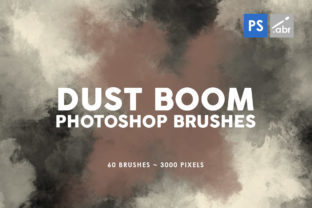
Evaluating the 60 Dust Boom Photoshop Brushes Collection for Digital Projects
When engaging in digital photo manipulation, concept art creation, or game asset design, the quality of texture overlays often dictates the realism and atmospheric depth of the final image. The 60 Dust Boom Photoshop Brushes collection represents a specific set of tools designed to address the need for high-fidelity particulate effects. This evaluation examines the technical specifications, practical applications, and strategic considerations for artists deciding whether this brush set aligns with their workflow requirements.
Understanding the Technical Specifications
At its core, this collection consists of 60 distinct brush presets tailored to simulate dust, smoke, explosion debris, and atmospheric particles. A critical metric for any digital asset is resolution, and these brushes are engineered with a maximum size of up to 2500 pixels. This high-resolution capability is significant because it allows artists to apply textures to large canvases without encountering pixelation or loss of detail, a common issue with lower-quality free brushes.
Furthermore, compatibility is a primary concern for professionals working across different studio environments. These brushes are designed to work with any Photoshop version, ensuring that users are not locked into specific software updates. Whether operating on legacy systems or the latest Creative Cloud releases, the functionality remains consistent. The inclusion of 60 unique variations provides a broad spectrum of density and dispersion patterns, ranging from fine, ambient dust motes to heavy, chaotic boom effects.
Practical Applications and Use Cases
The versatility of the 60 Dust Boom Photoshop Brushes makes them suitable for a wide array of creative disciplines. Understanding where these tools fit best can help potential users determine their value.
- Photo Overlays and Manipulation: In photographic retouching, adding atmospheric elements is essential for blending composite images. These brushes allow editors to introduce realistic dust clouds or impact debris, helping to unify lighting and color tones between disparate source images.
- Visual Effects for Games: Game artists often require quick, scalable assets for texture mapping or concept visualization. The high resolution ensures that these textures can be downscaled for UI elements or used as base maps for 3D modeling without compromising clarity.
- Digital Artwork and Illustration: Concept artists can utilize these brushes to add dynamic motion and energy to static illustrations. They serve as effective decorative elements that break up flat colors and add a sense of scale to epic scenes.
- Cinematic Post-Production: While primarily for static images, these textures can be sequenced in video editing software to create temporary visual effects for storyboarding or low-fidelity pre-visualization.
Benefits of High-Resolution Particulate Brushes
The primary advantage of adopting this specific brush set lies in the efficiency it brings to the texturing process. Creating realistic dust and explosion effects from scratch using standard round brushes is time-consuming and often yields artificial results. By leveraging pre-made, high-resolution stamps, artists can achieve complex organic shapes instantly.
The 2500-pixel size is particularly beneficial for print media and large-format displays. When working on billboards, magazine spreads, or high-definition marketing materials, low-resolution assets can ruin the professional polish of a project. These brushes maintain their integrity even when scaled, providing the necessary detail for close-up inspection. Additionally, the variety within the 60-brush pack reduces the need for constant parameter tweaking, allowing the artist to focus on composition rather than brush engineering.
Tradeoffs and Considerations
While the 60 Dust Boom Photoshop Brushes offer substantial utility, there are tradeoffs to consider before integration. First, the sheer volume of data associated with high-resolution brushes can impact performance on older hardware. Applying multiple large brush strokes on a single layer may increase file size significantly, potentially slowing down the workflow on systems with limited RAM.
Secondly, the aesthetic style of "boom" and "dust" effects is specific. If a project requires subtle, soft-focus gradients or hyper-realistic fluid simulations, stamp-based brushes might appear too static or repetitive if overused. Artists must exercise discretion in opacity and flow settings to ensure the effects blend naturally rather than looking like pasted stickers. The learning curve involves mastering blending modes—such as Screen, Overlay, or Soft Light—to integrate the black-and-white texture data seamlessly into colored environments.
When This Collection Is a Strong Fit
This toolset is an ideal choice for professionals and hobbyists who frequently work on action-oriented imagery, sci-fi concepts, or gritty urban photography. It is particularly valuable for:
- Rapid Prototyping: Teams needing to visualize explosion impacts or environmental hazards quickly during the concept phase.
- Compositors: Artists who regularly merge multiple photos and need atmospheric glue to bind the elements together convincingly.
- Generalists: Freelancers who require a reliable, all-purpose texture library that functions across various Photoshop versions without compatibility errors.
If your workflow demands consistent, high-quality particulate matter that scales well for both web and print, this collection addresses those needs directly.
When to Consider Alternatives
Conversely, there are scenarios where alternative solutions might be more appropriate. If a project relies heavily on procedural generation or requires animated particle systems (e.g., for real-time game engines like Unity or Unreal), static Photoshop brushes will have limited utility. In such cases, dedicated particle software or vector-based solutions might offer the necessary dynamism.
Additionally, artists working exclusively on small-scale web graphics where file size is a critical constraint might find 2500-pixel brushes excessive, preferring smaller, optimized assets to keep document weights low. Furthermore, if the artistic direction calls for highly stylized, non-photorealistic effects (such as watercolor splashes or geometric abstraction), a specialized artistic brush pack would be a better investment than a realism-focused dust and boom set.
Making the Decision
Selecting the right digital assets is a balance between immediate utility and long-term flexibility. The 60 Dust Boom Photoshop Brushes provide a robust foundation for adding atmospheric depth and dynamic action to visual projects. Their high resolution and universal compatibility make them a safe, practical addition to most digital toolkits.
However, the decision should ultimately rest on the specific demands of your current and future projects. Evaluate whether your work frequently requires the simulation of physical particulates and if your hardware can handle high-resolution layers efficiently. For those focused on photo manipulation, game concept art, and detailed digital illustration, this collection offers a logical enhancement to the creative process, bridging the gap between basic editing and professional-grade visual effects.