Evaluating 45 Powder Photoshop Stamp Brushes 2 for Digital Art and Photo Manipulation
In the realm of digital artistry and photo editing, texture plays a pivotal role in transforming a flat image into a dynamic composition. Artists and designers often seek specific tools to introduce grit, atmosphere, or organic imperfections to their work. One such toolset gaining attention is the 45 Powder Photoshop Stamp Brushes 2. This collection offers a specialized set of textures designed to simulate powder, dust, and particulate matter. Understanding the capabilities, limitations, and ideal use cases of this brush pack is essential for creators deciding whether it aligns with their current project requirements.
Overview of the Brush Collection
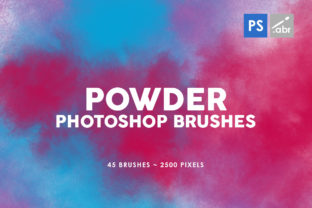
The 45 Powder Photoshop Stamp Brushes 2 package contains exactly 45 distinct brush presets. Unlike standard round or soft brushes used for painting or masking, these are stamp brushes. This means each click deposits a pre-defined shape or texture rather than drawing a continuous stroke based on pressure dynamics alone. The collection boasts a high resolution, with brush tips sized at 2500 pixels. This dimension is significant because it allows for large-scale application without the pixelation or blurring that often plagues lower-resolution assets when scaled up.
Compatibility is another fundamental aspect of this toolset. The brushes are engineered to function with any Photoshop version, ranging from older legacy installations to the latest Creative Cloud updates. This universal compatibility ensures that users do not need to upgrade their software solely to access these textures, making them an accessible addition to diverse workflows. The core value proposition lies in the ability to instantly apply complex powder effects that would otherwise require time-consuming manual creation or sourcing of separate stock images.
Practical Applications and Use Cases
When evaluating whether to integrate these brushes into a workflow, it is helpful to consider specific scenarios where they excel. The primary strength of the 45 Powder Photoshop Stamp Brushes 2 lies in their versatility across different creative disciplines.
- Digital Photo Manipulation: For compositors, blending disparate images seamlessly is often the greatest challenge. Powder effects can serve as atmospheric bridges between foreground and background elements. By adding dust particles or light leaks, an artist can unify the lighting and color temperature of a composite, making the manipulation appear more cohesive and realistic.
- Photo Overlays: Photographers looking to add a vintage, gritty, or dreamy aesthetic to portraits or landscapes can utilize these stamps as overlays. Applying a powder texture over a clean digital photo can mimic the look of film grain, lens flare artifacts, or environmental dust, adding character to otherwise sterile images.
- Game Art and Concept Design: In the context of game development, visual effects (VFX) artists often need quick ways to prototype explosions, magic spells, or environmental hazards like sandstorms. These high-resolution stamps provide a rapid method for blocking out particle effects before moving to dedicated VFX software.
- Decorative Elements: Graphic designers working on posters, album covers, or social media graphics can use these brushes to frame text or add depth to background layers. The organic nature of powder textures contrasts well with sharp typography and geometric shapes.
Benefits of High-Resolution Stamp Brushes
The decision to adopt this specific brush set often hinges on the quality of the output. The 2500-pixel size is a notable benefit. Many free or low-cost brush packs offer tips that are only 500 to 1000 pixels wide. When an artist attempts to use those smaller brushes on a high-definition canvas (such as 4K resolution), the edges become jagged, and the texture loses definition. With 2500 pixels, the 45 Powder Photoshop Stamp Brushes 2 maintain crisp edges and detailed internal structures even when applied to large canvases. This reduces the need for post-application sharpening or re-working the texture.
Furthermore, the variety within the pack—45 unique variations—provides a sufficient range to prevent repetition. In digital art, repeating the exact same stamp multiple times creates a recognizable pattern that breaks immersion. Having four dozen variations allows the user to rotate and swap brushes frequently, ensuring that the final texture looks natural and randomized.
Considerations and Tradeoffs
While the benefits are clear, a balanced evaluation requires acknowledging potential tradeoffs. As stamp brushes, these tools behave differently than dynamic flow brushes. Users accustomed to pressure-sensitive opacity and flow controls for building up texture gradually may find stamp brushes less intuitive for certain painting tasks. Stamp brushes are generally better suited for placing specific instances of texture rather than broad, sweeping coverage. Therefore, artists who rely heavily on painterly techniques might find these less useful for base rendering, reserving them instead for final detailing.
Additionally, while the brushes work with any version of Photoshop, the management of large brush libraries can sometimes slow down the interface on older hardware or very outdated software versions. Although the file size of the brushes themselves is manageable due to optimization, loading 45 high-resolution tips simultaneously is a consideration for users with limited system RAM. However, for most modern systems, this impact is negligible.
Comparing Alternatives
Is this pack the right choice, or should one look elsewhere? The answer depends on the specific type of texture required. If a project demands fluid smoke, liquid splashes, or fire, the 45 Powder Photoshop Stamp Brushes 2 are not the appropriate tool, as they are specifically tuned for dry, particulate matter. In such cases, specialized fluid or fire brush sets would be superior alternatives.
Conversely, if the goal is to create subtle surface noise or fine grain, a dedicated noise filter or a simple grain overlay image might be more efficient than using stamp brushes. Stamp brushes offer more control over placement but require more manual clicks to cover a large area compared to a global overlay layer. Therefore, for broad, uniform textures, a solid fill or pattern overlay might save time. However, for controlled, artistic placement of dust motes, highlights, and powder clouds, this brush set offers a level of precision that global filters cannot match.
Making the Decision
Ultimately, determining whether to incorporate the 45 Powder Photoshop Stamp Brushes 2 into your library comes down to your workflow needs. If you frequently engage in photo manipulation where blending and atmospheric effects are crucial, these brushes provide a high-quality, time-saving solution. The high resolution ensures longevity, meaning the asset will remain useful even as display standards move toward higher resolutions.
For concept artists and game designers, the ability to quickly prototype particle effects makes this a valuable utility. However, pure digital painters who focus on character rendering via traditional brush strokes may find the utility more niche, reserved for specific background elements or special effects rather than core painting tasks.
In conclusion, this collection represents a robust resource for adding organic texture to digital projects. Its compatibility, resolution, and variety make it a strong candidate for designers seeking to enhance the visual depth of their work without resorting to complex external plugins or stock photography. By understanding both its strengths as a detailing tool and its limitations as a stamp-based system, creators can effectively decide if it fits their artistic toolkit.