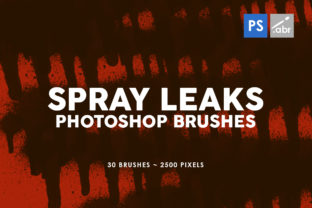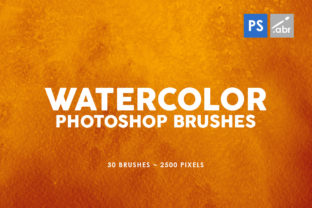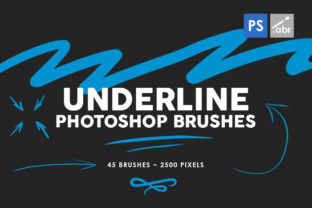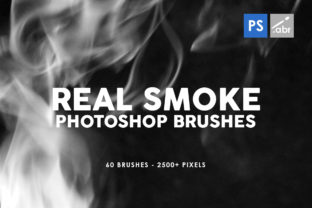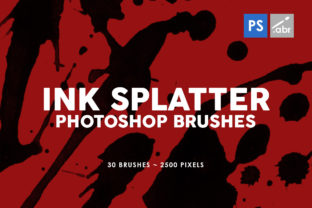
30 Ink Splatter Photoshop Stamp Brushes for Design
Adding a touch of raw, organic energy to digital designs can be challenging when you are working with clean lines and perfect pixels. This is where the 30 Ink Splatter Photoshop Stamp Brushes collection becomes an invaluable asset for creators at any level. Whether you are a seasoned graphic designer looking to break up a sterile layout or a small business owner trying to make your social media posts stand out, these tools offer a quick and effective way to introduce texture and movement into your work.
This specific set includes 30 unique brushes contained within a single, easy-to-install file. What sets this collection apart is the attention to detail regarding resolution. Each stamp is rendered at a massive 2500 pixels in size. In the world of digital assets, size matters immensely. Many free or low-quality brush sets pixelate quickly when resized, rendering them useless for anything beyond a small web icon. However, because these textures are high resolution, they remain crisp and detailed whether you are using them for a tiny website accent or a large-format print poster.
Why High-Resolution Texture Matters
When you incorporate elements like ink splatters, grunge effects, or paint drips into a project, the goal is usually to mimic the imperfection of traditional media. If the source image is low quality, those imperfections look like digital errors rather than artistic choices. The 2500-pixel dimension ensures that every droplet, spray, and smear retains its definition. This flexibility means you do not have to worry about the final output medium. You can confidently use these brushes for professional print templates, such as brochures or event flyers, knowing the ink edges will look sharp on paper just as they do on a retina display.
Furthermore, compatibility is often a hurdle for beginners who might be using older software versions or shared computers in educational settings. A significant advantage of this pack is that it works with any Photoshop version. You do not need the latest subscription update to access these features. This universal compatibility makes it an excellent choice for freelancers who collaborate with various clients or educators teaching students with diverse hardware setups.
Practical Applications for Creators and Marketers
The versatility of these 30 Ink Splatter Photoshop Stamp Brushes allows them to fit seamlessly into a wide array of projects. For marketers and bloggers, visual hierarchy is key to keeping an audience engaged. A plain background can often cause a viewer's eye to glide right over important text. By applying a subtle ink splatter behind a headline or using a heavier stamp to frame a call-to-action button, you create immediate visual interest. These decorative elements help break the monotony of standard corporate designs, giving brands a more approachable, human feel.
Consider the context of social media management. Platforms like Instagram and Pinterest thrive on aesthetic consistency and bold visuals. Using these high-resolution stamps as backgrounds for quote graphics or product showcases can elevate a simple photo into a branded piece of content. Because the set offers 30 different variations, you can maintain a consistent "ink" theme without repeating the exact same shape, ensuring your feed looks dynamic and curated.
In the realm of photography, these brushes serve as powerful post-processing tools. A portrait photographer might use a light splatter overlay to add an edgy, urban vibe to a fashion shoot. Alternatively, a wedding photographer could use softer, more diffuse ink textures to create a vintage, scrapbook-style album layout. The ability to toggle opacity and blending modes in Photoshop means you have full control over how aggressively the texture interacts with your underlying image.
Ideal Use Cases for Different Skill Levels
For beginners, the concept of "stamp" brushes is particularly welcoming. Unlike flow or pressure-sensitive brushes that require a drawing tablet and steady hand to master, stamp brushes apply a pre-designed shape with a single click. This lowers the barrier to entry significantly. A hobbyist creating a birthday invitation can achieve a professional-looking handmade effect in seconds without needing to learn complex digital painting techniques.
For professionals and entrepreneurs, time is money. These brushes act as a shortcut to high-quality texturing. Instead of spending hours photographing real ink spills, scanning them, and cleaning them up in software, you have a library of ready-to-use assets. This efficiency allows you to focus on the broader composition and messaging of your project. Whether you are designing a album cover, a t-shirt graphic, or a website header, these tools streamline the workflow.
Things to Consider Before You Start
While these tools are user-friendly, there are a few practical considerations to keep in mind to get the best results. First, think about color and blending modes. Although the brushes likely come in black by default, their true power lies in recoloring them. Experiment with changing the foreground color to match your brand palette. Additionally, try switching the layer blending mode from "Normal" to "Multiply" or "Overlay." This allows the white background of the stamp to disappear, letting the ink sit naturally on top of photos or colored backgrounds.
Secondly, consider the scale. Even though they are 2500 pixels, dragging the stamp onto a canvas that is 10,000 pixels wide might make the splatter look small. Remember that because they are high resolution, you can scale them up significantly without losing quality, but always check the edges after resizing to ensure they still fit your composition's mood.
Finally, moderation is key. It is tempting to use every cool shape in the set, but overusing texture can clutter a design. Use the 30 Ink Splatter Photoshop Stamp Brushes strategically to guide the viewer's eye or to add emphasis to specific areas. A single well-placed splatter can be more impactful than a dozen scattered randomly across the page.
Ultimately, adding this collection to your toolkit is about expanding your creative vocabulary. It bridges the gap between the digital precision of modern design software and the chaotic beauty of analog art. Whether you are enhancing a personal blog, launching a marketing campaign, or teaching a design class, these high-resolution, universally compatible brushes provide the texture and depth needed to make your projects resonate with your audience.