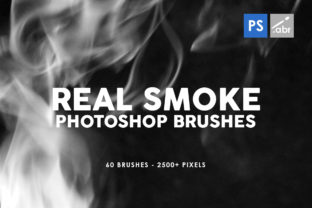
60 Real Smoke Photoshop Stamp Brushes for Design
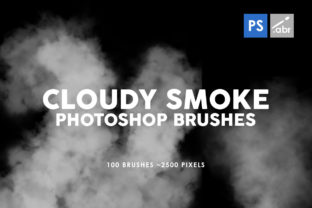
Visual storytelling often hinges on atmosphere. Whether you are designing a moody album cover, a dramatic movie poster, or a subtle texture for a web banner, the difference between a flat image and a compelling one frequently comes down to lighting and atmospheric effects. Among the most versatile tools for adding depth and emotion to digital art is smoke. However, creating realistic smoke from scratch using standard painting tools is time-consuming and technically demanding. This is where a dedicated collection like the 60 Real Smoke Photoshop Stamp Brushes becomes an invaluable asset for creators who need efficiency without sacrificing quality.
This specific set includes 60 distinct brushes, each rendered at a high resolution of 2500x2500 pixels. The sheer size of these textures means they are not limited to small web graphics; they hold up remarkably well in large-format print projects. Because they function as stamp brushes, they allow you to place complex, organic smoke formations with a single click, rather than spending hours painting individual wisps. Furthermore, their compatibility with any Photoshop version ensures that freelancers and agencies working across different software environments can integrate them seamlessly into their existing workflows.
Elevating Print and Digital Media with High-Resolution Textures
The primary advantage of using high-resolution assets lies in their versatility. When you are working on physical materials such as cards, invitations, flyers, covers, and posters, pixelation is the enemy. A low-resolution smoke effect might look acceptable on a smartphone screen but can appear blocky and unprofessional when printed on high-gloss paper or large vinyl banners. With textures sized at 2500x2500 pixels, these brushes provide enough detail to scale down for intricate business cards or scale up for event posters while maintaining crisp edges and smooth gradients.
For marketers and small business owners, this flexibility translates to cost and time savings. Instead of hiring a specialized retoucher to create custom atmospheric effects for every campaign, you can utilize these pre-made stamps to achieve a polished look instantly. Imagine creating a series of promotional banners for a product launch. By applying different smoke variations from the set, you can create a cohesive visual theme across social media ads, email headers, and website hero images. The consistency helps strengthen brand recognition, while the variety within the 60-brush pack prevents the designs from looking repetitive or templated.
Streamlining Workflow for Professionals and Hobbyists
Time is a critical resource for professionals ranging from graphic designers to app developers. The process of masking, blending, and painting smoke manually can eat up hours of a project timeline. These stamp brushes simplify decisions by offering ready-to-use solutions that integrate directly into your layer stack. Since they work with any Photoshop version, there is no need to worry about file compatibility issues when collaborating with a team or handing off files to a client.
Consider the workflow of a wedding photographer editing engagement photos. Adding a subtle haze or dreamy smoke effect can transform a standard portrait into something ethereal and romantic. Using these brushes, the editor can quickly test different placements and opacities to find the perfect balance, significantly speeding up the post-processing phase. Similarly, educators creating presentation decks can use these textures to add visual interest to title slides, making complex information more engaging for students without distracting from the core content.
The utility extends beyond traditional photography and marketing into the realm of web design and app interfaces. While heavy textures were once frowned upon in UI design, modern trends often incorporate subtle atmospheric elements to create depth and hierarchy. A faint smoke overlay behind a call-to-action button or as a background element in a mobile app can guide the user's eye and add a premium feel to the interface. Because these brushes are high resolution, they can be scaled down appropriately for screen use, ensuring they remain sharp on retina displays.
Creative Applications Beyond Standard Design
While the immediate application of smoke brushes seems obvious for photo manipulation, their potential for creating patterns and abstract art is equally significant. Artists and hobbyists can use these stamps to generate unique backgrounds for packaging cases, book covers, or textile prints. By overlapping different brushes, adjusting blend modes to "Screen" or "Overlay," and tweaking hue/saturation levels, you can create entirely new textures that bear little resemblance to the original source. This capability supports creativity by providing a strong foundation upon which to build more complex compositions.
For publishers and authors designing book covers, particularly in genres like fantasy, thriller, or mystery, atmosphere is key to conveying the tone of the story before the reader even opens the book. A swirling mist can suggest danger or the unknown, while a soft, diffused fog might imply memory or loss. Having a library of 60 varied options allows a designer to experiment rapidly until the visual mood matches the narrative voice. This iterative process is much faster when you have a diverse set of high-quality assets at your fingertips.
Practical Considerations and Best Practices
Despite their utility, it is important to approach the use of texture brushes with a degree of restraint. The goal is to enhance the composition, not overwhelm it. Because these are real smoke textures, they possess natural lighting and density variations. When applying them, always consider the light source in your base image. If your subject is lit from the left, the smoke should logically interact with that light, perhaps requiring you to mask out certain areas or adjust the brightness to maintain realism.
Another consideration is color grading. While the brushes are likely provided in grayscale or black/white for maximum flexibility, simply dropping them onto a colorful image can sometimes look disjointed. To integrate them effectively, use adjustment layers to match the color temperature of the smoke to the environment. For instance, a sunset scene would benefit from smoke tinted with warm oranges and purples, whereas a cold, industrial setting might require cool blues and grays. This attention to detail separates amateur edits from professional-grade work.
Users should also be aware that while these brushes work with any Photoshop version, older versions might handle large brush tips slightly differently in terms of performance. However, given the 2500x2500 pixel size, modern computers generally handle these assets without issue. If you are working on a machine with limited RAM, it may be wise to rasterize the smoke layers once you are happy with their placement to keep the file size manageable, especially when working on complex multi-layered documents like magazines or detailed composites.
Who Benefits Most from This Toolset?
This collection is particularly beneficial for freelancers and entrepreneurs who wear multiple hats. A social media manager who also handles basic graphic design needs tools that deliver quick results. The ability to drag, drop, and adjust a high-quality smoke effect allows them to produce agency-level visuals without the agency-level budget or timeline. Similarly, bloggers and content creators looking to differentiate their visual identity can use these textures to create signature intro graphics or thumbnail styles that stand out in crowded feeds.
Even for seasoned concept artists, having a go-to set of reliable smoke brushes serves as a powerful starting point. It allows them to block in atmospheric perspectives quickly during the early stages of a painting, focusing their manual effort on the focal points of the image rather than the background ambiance. The value here is not just in the final output, but in the freedom to experiment. When the technical barrier to creating an effect is lowered, creativity often flourishes.
In conclusion, integrating the 60 Real Smoke Photoshop Stamp Brushes into your toolkit offers a practical solution for enhancing visual depth across a wide array of projects. From high-stakes print advertising to delicate web enhancements, the combination of high resolution, versatility, and ease of use makes these textures a smart investment for anyone serious about digital design. They solve the common problem of balancing quality with efficiency, allowing you to focus more on the creative message and less on the technical execution of atmospheric effects.